• Skip to primary navigation
  • Skip to main content

WritingStrategist

The Future of Writing

  • Home
  • About
  • Twitter

Writing

Building Calculators and Content Add-ons in ChatGPT

January 22, 2023 by Strategist Leave a Comment

Okay, let's talk about content add-ons that we can build with ChatGPT. The main goal here is to upgrade your existing page with a valuable link bait add-on that will attract FREE external links (from Reddit, thematic forums, etc.). You could also create small services with the same approach.

For example, let's take one of these calculators from https://smallseotools.com and try to recreate it with our own hands, and maybe even do better in some ways. The starting point here is quite simple - I have NO IDEA how to do programming stuff. So, it could happen that the code I end with looks like crap, but the main goal is to get things done.

Let's try to create our own Word Counter similar to: https://smallseotools.com/word-counter/. As a stand-alone small service, it can look something like this (monetized through donations/ad-sense) - https://wordstotime.com.

In general, if you have a niche site where you need various atypical calculations, then all this will work very well. The development of such calculators won't be cheap and owners of content sites usually don't spend much on such things. I hope we can finish everything in an hour (or two 🙂 for free.

Starting with queries to ChatGPT

Let's start with a prompt like that:

Create HTML, CSS and Javascript for the tool that does the following: "Word Counter that counts the number of words and characters in your text. A Word Counter will automatically count the number of words, characters, sentences and paragraphs. A Word Counter should also finds the top words used, reading time and speaking time."

We get a response:

HTML

CSS

JS (shortened screenshot a bit)

You could get my file with all the code to test out - here.

Add the code to WordPress and check if it works

Let's take this code as a base one, see if it works at all, and try to improve it with the same queries to the AI. To test it out we need to install the WP Coder plugin.

In the panel on the left, find Wow Plugins - WP Coder and click Add New where we will transfer the code from ChatGPT to the actual WordPress post.

Add the final result to the page using the shortcode that will appear on the right side near the Save button and see if it works. Made a screenshot of the ver. 1.0:

The calculator above already worked as shown in the screenshot. Let's finalize it:

  • Add a table of the most frequently used words: create a table with % of the most used words in text.
  • Ask the machine to rebuild the entire code with new functions: rebuild html, css and javascript code together with new functions.
  • Add design or CSS responsiveness through make it responsive on all devices.

And then we look at the new version that you can test yourself.

The Result

Copy any text and paste it into the field:


Words:

Characters:

Sentences:

Paragraphs:

Reading time:

Speaking time:

Word Frequency Percentage

And add a description to the same page - "Why do I need Word Counter?", for example - write 5 reasons to use Word Counter tool

5 Reasons to Use Word Counter Tool

  1. Writing productivity: A Word Counter tool helps you track the number of words you have written, allowing you to set writing goals and monitor your progress towards them.
  2. Editing efficiency: By providing a character count, sentence count, and paragraph count, a Word Counter tool makes it easy to identify areas of a text that may be too long or too short, and to make appropriate adjustments.
  3. Time management: A Word Counter tool can help you estimate the time it will take to read or speak a text, giving you a better sense of how long you should spend on a project or assignment.
  4. Vocabulary analysis: A Word Counter tool can help you identify the most commonly used words in your text, allowing you to improve your vocabulary and avoid repetition.
  5. Writing style analysis: By providing statistics on sentence and paragraph length, a Word Counter tool can help you identify patterns in your writing that may indicate a lack of variety or coherence.

In conclusion

Yes, you can add a text reading speed slider, a clearer design, and more functions. That's not the point, and I don't want to overcomplicate things, because I urge you to try everything yourself first. After all, this is the very no-code that webmasters who are not involved in anything more than working with content have been waiting for for quite some time.

And what to do with this - whether to go freelance or to make your own projects - is up to you.

Filed Under: Writing

ChatGPT for Content Builders: Approaches, Extensions, Automation

January 20, 2023 by Strategist 4 Comments

You've probably already heard about the new ChatGPT from OpenAI. A revised model based on the latest version of GPT3.5 and one of the best open-to-public models for writing texts, coding, music composition, etc.

So, why do we need it at all? For me, to solve some writing routines and build simple stuff for my websites. For example, being a person not familiar with programming and JS, I can now create various custom calculators and small services through WP Coder. Next time on that, today I'd like to talk about content production because it is really cool and free. Btw, I'm still paying off my Jasper subscription, premade templates for one-shot blog posts and summaries are still very, very good.

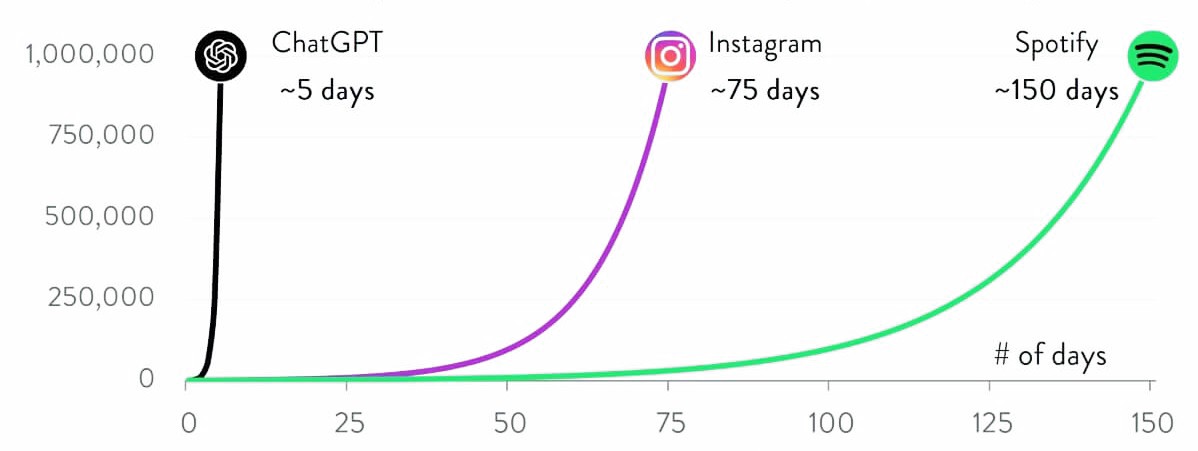
But in the meantime, I suggest registering and joining one of the fastest-growing startups of our time. The first million users in less than a week, yes it's ChatGPT:

Monetization. Where do we get the money from?

Really, up to you. Context ads or affiliate marketing. Quite everything except adult or gambling niches. The most obvious, of course - Adsense for branded traffic (see last post) in some high-paying niches. Where yesterday's copywriters could not give anything sensible/new we move in. Just a matter of how many prompts we are in to assemble an article. While AI can insert links to authoritative sources, make markup on the fly, pack data into tables, write headlines with high CTR, make comparison tables, understand what has already been in the dialogue, etc. Here is an experiment that is still going on Twitter, the pure AI content website:
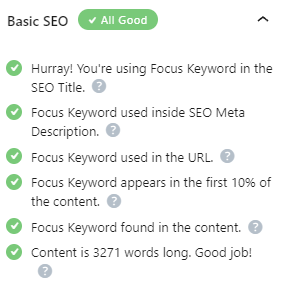
I would say that the question is more likely to come down to the article architecture and terms of content quality and optimization, rather than the usual "writing the number of words". Checking the facts and actual data (the model has no access online), again, can be solved by pulling an extension and can actually google it. Anyway, as long as everything is free and OpenAI has not switched to selling credits and limits there is plenty of room for everyone.

What to install right away

I use two browser add-ons to make things easier and add functionality on the fly:

GPT Advanced
AIPRM for SEO

Not much to say here, tabs right inside ChatGPT are self-explanatory.

The framework

In general, it is quite straightforward:

  • Keywords Research.
  • Gathering Prompts for Each Category.
  • Assembling an all-in-one table.
  • Exporting to ChatGPT.
  • On-page optimization in WordPress.

Keyword Research

As for the keyword research, I switched completely to Lowfruits from Ahrefs, which is very well refined over the past year, plus delivered a browser KE (it's free) to look for trends "on the fly" right in SERP. Again, compared to Ahrefs, which started pulling credits just for every click inside, this combination seems to be more effective. Plus, the primary analysis and clustering LowFruits gives you also free.

On the cost of traffic. As I wrote before, any branded US traffic (the most trivial) has a higher cost per click and RPM. One thing when you work as an affiliate for fixed commissions and other with ads, where income per thousand users can differ in times. You can compare at MotionInvest, where such statistics are given for free.

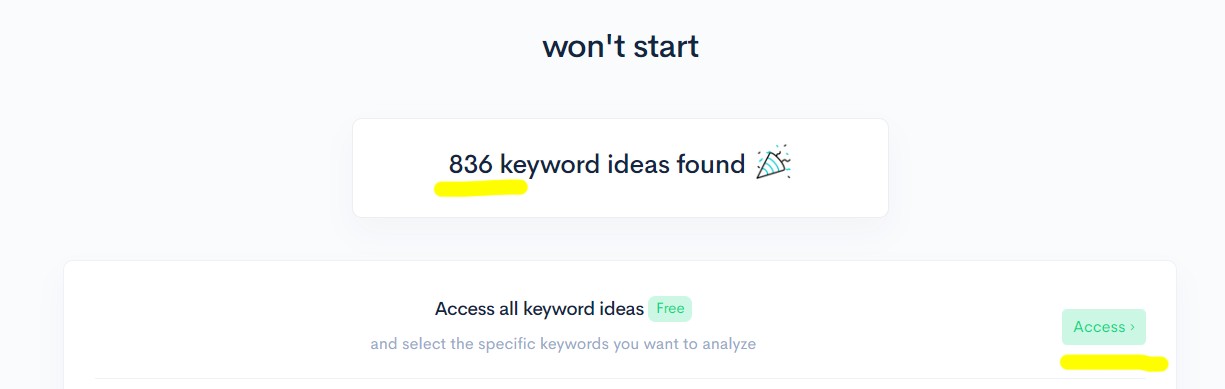
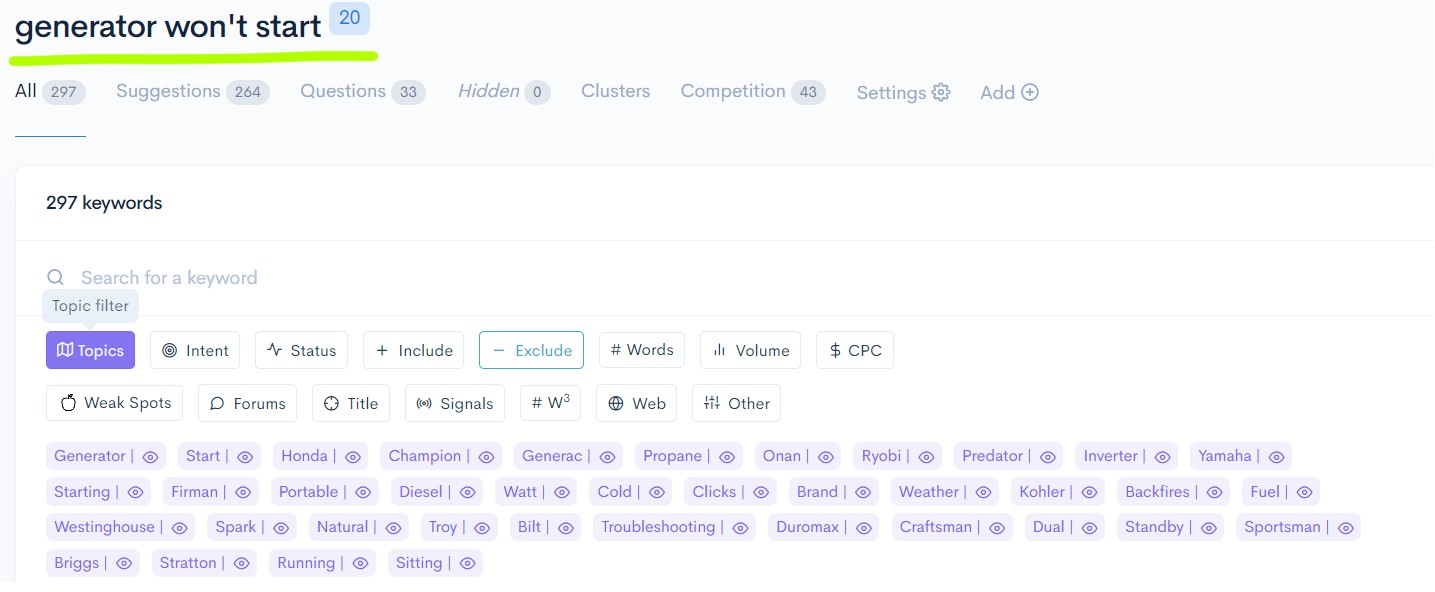
As an example, let's take the most common "won't start" keyword to see a breakdown by categories that can "not start", brands and costs per click.

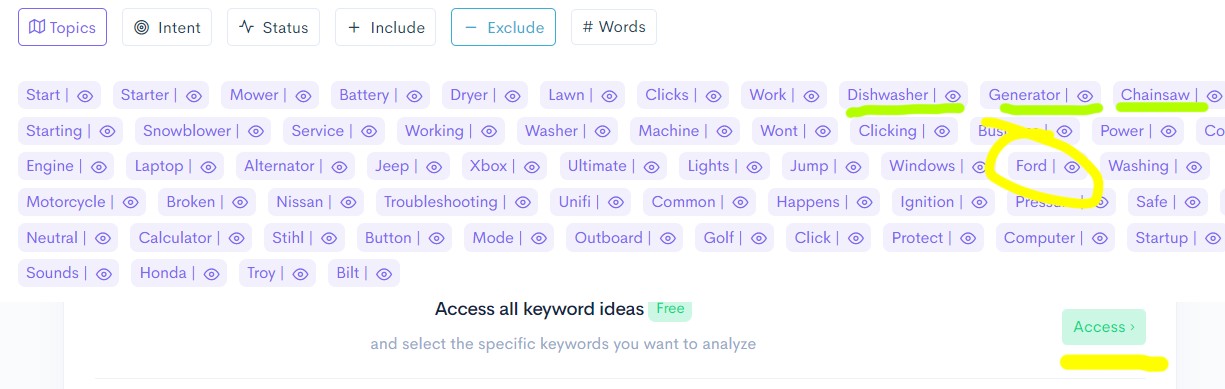
Press Topics to see brands like Ford, Nissan, Honda, as well as types of equipment - Dishwasher, Generator, Chainsaw, etc.

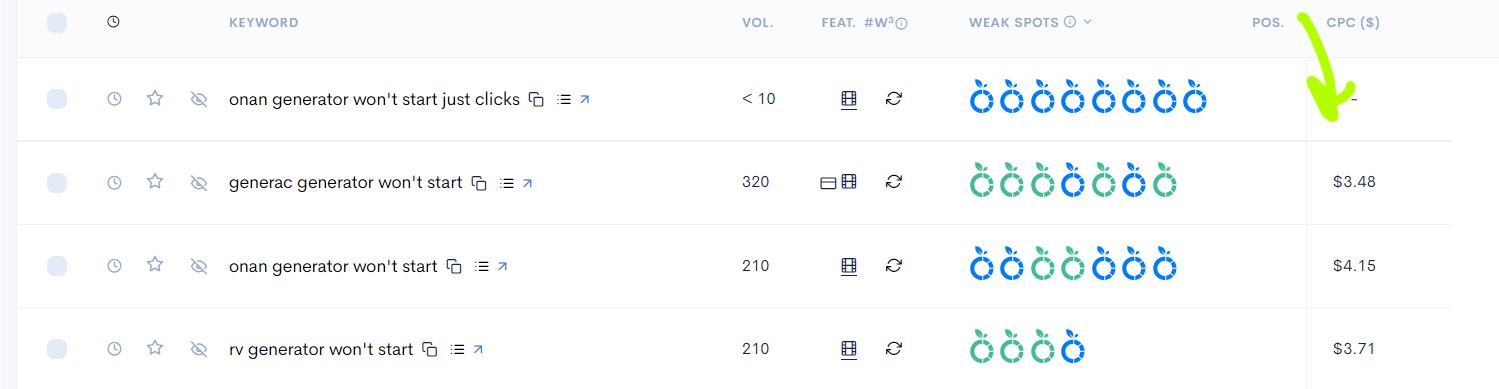
Spending a dozen credits to extract the SERP and cost per click for generators. An obviously high-CPC niche:

Blue apples - UGC and forums. Green - sites with low DA and a small number of words. In simple terms, the more "apples", the easier it raise to the top of SEPR. Specifically, here we see great results and high click-through rates, so let's look at it more closely at the structure of the topics - portable, diesel, branded, etc.

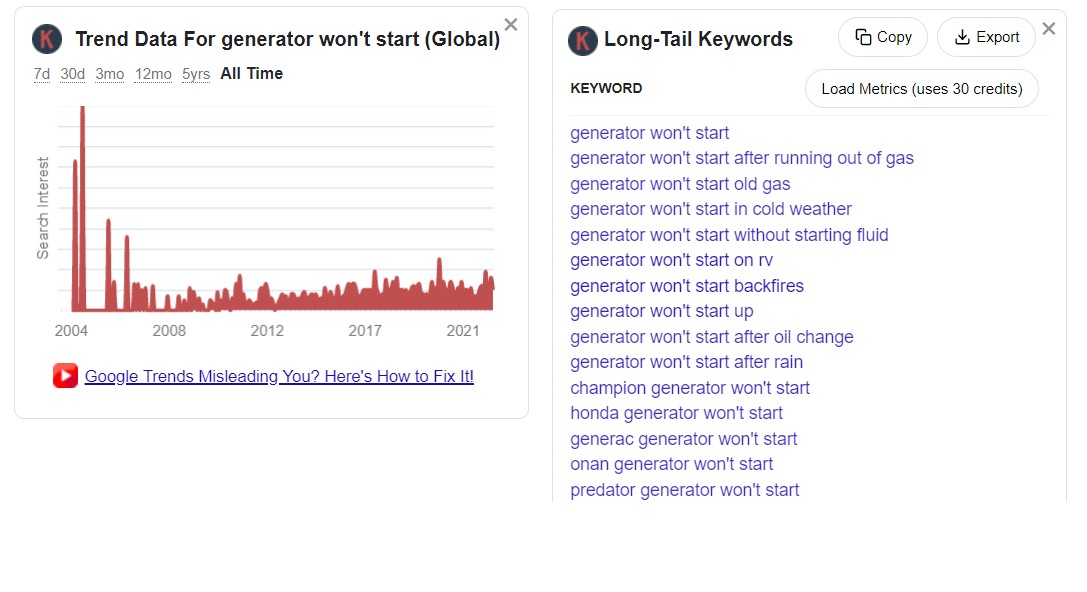
And double-check with KeywordEverywhere, just to see if the trend is still on demand with long-tail keywords:

Start Composing

The idea here is to break queries into groups and write out content using ChatGPT with comparisons, tables, causes, recommendations, and whatever else is needed. This would be different from the typical pSEO stuff with a single template and general recommendations for models and brands.

Why so? Because the AI can write on behalf of the mechanic. Here is a starting query, which we will change for our subject:

Need somebody with expertise on automobiles regarding troubleshooting solutions like; diagnosing problems/errors present both visually & within engine parts in order to figure out what’s causing them (like lack of oil or power issues) & suggest required replacements while recording down details such fuel consumption type etc., First inquiry – “Car won’t start although battery is full charged”

For a complete list visit https://prompts.chat.

Let's start with a dozen articles for popular brands, the main keyword will be a "[brand] generator won't start". Some brands that came out from LowFruits - Honda, Yamaha, Generac, Predator, etc.

Then we can do the same with other semantic clusters - spare parts, maintenance, and performance comparison between models. I.e. keywords like "how to service a [brand] generator" that will also have a high CPC.

For example:

  • Honda generator won't start
  • Yamaha generator won't start
  • Generac generator won't start
  • Onan generator won't start
  • Predator generator won't start

And we begin to form typical prompts to build a full article from.

Assembling Queries

Type in Google one of the keywords and look at the article structure that is already at the top of search results. Leave them at tabs in the browser just to check up.

For example, just to get a rough idea of what we are talking about:
https://www.generatorhero.com/onan-generator-starts-then-shuts-down/
https://uooz.com/onan-5500-generator-wont-start-what-to-do/

We need to break these articles into parts and check that ChatGPT could write them out correctly (or even better) with our queries.

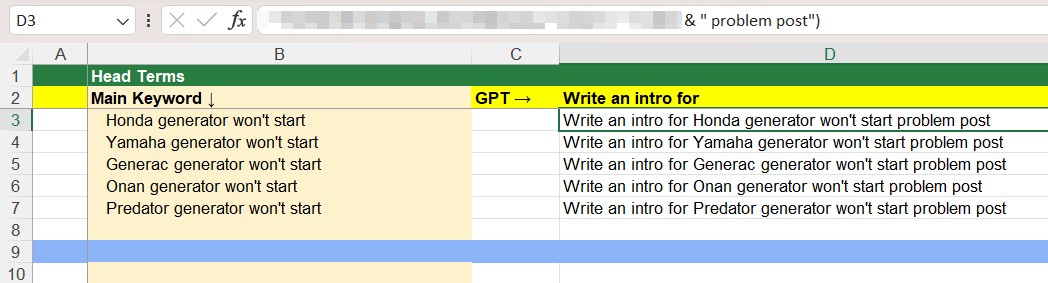
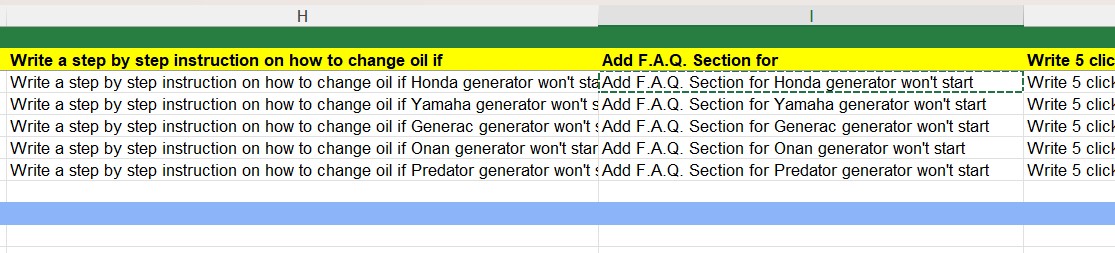
Let's begin to fill the table. I used to do it Excel, where you could auto-add modifiers to main keyword from other cell:

Let's check what ChatGPT gives back on the prompt above (see screenshot) for the intro part:

An Onan generator is a reliable and convenient source of backup power, but when it won't start it can be a frustrating and potentially costly problem. The Onan generator is commonly used in RVs and boats, and there are a number of potential causes for why it may not start. Some common reasons include issues with fuel delivery, spark plugs, air filters, and the ignition system.

In this post, we will explore some of the most common reasons why an Onan generator might not start, and provide some tips for troubleshooting and resolving the problem. It's important to keep in mind that troubleshooting and repair of Onan generator may require technical knowledge and experience, and in some cases it's better to consult the Onan manual or a certified technician.

Next, go to https://prompts.chat and choose the right profession for the problem. I think Automobile Mechanic is quite suitable here, replacing only automobiles with generators. I underlined what was changed:

Need somebody with expertise on generators regarding troubleshooting solutions like; diagnosing problems/errors present both visually & within engine parts in order to figure out what’s causing them (like lack of oil or power issues) & suggest required replacements while recording down details such fuel consumption type etc., First inquiry – “Generac generator won’t start although battery is full charged”

I broke this prompt into several parts and added them to the table again, stretching the formula for the rest of the keywords in a column.

So, we get a list of troubleshooting tips next:

Troubleshooting a Honda generator that won't start can involve several steps. Some common issues that can cause a generator to not start include:

  • Lack of fuel: Check the fuel level and make sure there is enough fuel in the tank to start the generator.
  • Dirty air filter: A dirty air filter can restrict air flow to the engine, causing it to not start. Clean or replace the air filter as needed.
  • Faulty spark plug: A faulty spark plug can prevent the engine from starting. Check the spark plug and replace it if necessary.
  • Dead battery: Check the battery voltage and make sure it has enough charge to start the generator.
  • Low oil level: A low oil level can cause the engine to not start. Check the oil level and add oil as needed.
  • A malfunctioning starter: The starter is responsible for turning the flywheel to start the engine. If the starter is malfunctioning it won't be able to turn the flywheel, preventing the engine from starting.

Before attempting to troubleshoot or make repairs, you should refer to the owner's manual for specific instructions and precautions.

It is also important to note the fuel consumption type and the generator's model number for reference when ordering replacement parts or requesting assistance.

Let's see what the top-ranking articles have next - it's error codes. Okay, add a column with error codes, and again duplicate the formula for the entire column:

And this is what we get in response to:

Elaborate on each Honda generator won't start error codes and make a table

I really like the way it works :

Honda generators have a built-in self-diagnostic system that can display error codes when a problem is detected. These codes can indicate specific issues with the generator, allowing for more efficient troubleshooting and repairs. Some common error codes for Honda generators and their meanings are:

Error Code Meaning
E, 01 Low oil pressure. Check the oil level and add oil as needed.
E, 02 High coolant temperature. Check the coolant level and make sure the cooling system is functioning properly.
E, 03 Low voltage. Check the battery and charging system, and make sure the generator is producing enough power.
E, 04 High voltage. Check the voltage regulator and make sure it is functioning properly.
E, 05 Low frequency. Check the alternator and make sure it is producing the correct frequency.
E, 06 High frequency. Check the governor and make sure it is functioning properly.
E, 07 Low power. Check the fuel system and make sure there is enough fuel to generate power.
E, 08 High power. Check the load and make sure it is not too heavy for the generator to handle.
E, 09 Overspeed. Check the governor and make sure it is functioning properly.
E, 10 Underspeed. Check the governor and make sure it is functioning properly.

It's important to note that the codes may vary depending on the generator's model and year. Always refer to the owner's manual for specific error codes and troubleshooting instructions for your generator.

Moreover, the codes for the same Yamaha and Honda will be different, it understands the brands' differences.

Next, the diagnosis, and we add to the table:
Write a service table for Honda generator won't start

Let's see what the GPT gives back by service:

Here is a table that lists some common service steps for troubleshooting a Honda generator that won't start:

Step Service
1 Check the fuel level and make sure there is enough fuel in the tank to start the generator.
2 Check the air filter and clean or replace it as needed.
3 Check the spark plug and replace it if necessary.
4 Check the battery voltage and make sure it has enough charge to start the generator.
5 Check the oil level and add oil as needed.
6 Check the starter and ensure it's functioning properly
7 Check the fuel filter and make sure it is not clogged.
8 Check the carburetor and make sure it is clean and functioning properly.
9 Check the muffler and make sure it is not clogged.
10 Check the fuel lines and make sure they are not clogged or kinked.
It's important to note that the troubleshooting steps may vary depending on the generator's model and year. Always refer to the owner's manual for specific instructions and precautions.

If the generator is under warranty, it's best to contact the manufacturer or a certified service center to perform the repairs.

In this case, I would already add more models, just because this part will be very similar. We take one of the problems directly from the table and add its solution to the article, again with a query that we duplicate:
Write a step by step instruction on how to change oil if Honda generator won't start

Result:

Here is a step-by-step guide on how to change the oil on a Honda generator:

  1. Locate the oil drain plug on the bottom of the engine. It is usually located near the bottom of the engine, on the side or underneath.
  2. Place a drain pan under the drain plug to catch the old oil.
  3. Remove the drain plug using a socket wrench or pliers. Allow the old oil to drain completely.
  4. Replace the drain plug and tighten it securely.
  5. Remove the oil filter using a oil filter wrench. Make sure to use the correct oil filter for your generator's model and year.
  6. Clean the area around the oil filter mount.
  7. Apply a small amount of fresh oil to the gasket on the new oil filter.
  8. Screw the new oil filter on by hand, making sure to not over tighten it.
  9. Check the oil level using the dipstick. Add oil as needed, making sure to use the correct oil type and viscosity for your generator's model and year. Refer to the owner's manual for the recommended oil type and viscosity.
  10. Start the generator and let it run for a few minutes to circulate the new oil.
  11. Shut off the generator and wait for a few minutes to allow the oil to settle.
  12. Check the oil level again using the dipstick and add oil as needed.

It's important to note that the oil change steps may vary depending on the generator's model and year. Always refer to the owner's manual for specific instructions and precautions. It's also important to keep detailed records of all the oil change, including the date of service, the technician or person performing the service, and the oil used. This will help you keep track of the generator's maintenance history and can be helpful in the event of future issues.

We will write out an entire article, but I think the point is clear here.

Usually, 6-7 queries are enough to put together a full article. Also, AI understands quite well the queries for a comparison of one model to another. What else, let's add a FAQ:

Add F.A.Q. Section for Honda generator won't start

Don't forget to install a RankMath to add the schema markup for FAQ section.

We get it like that:

Here are some frequently asked questions (F.A.Q.) and answers related to troubleshooting a Honda generator that won't start:

Q: What should I do if my Honda generator won't start?
A: First, check the fuel level and make sure there is enough fuel in the tank to start the generator. If there is enough fuel, check the air filter and clean or replace it as needed. If the air filter is clean, check the spark plug and replace it if necessary. If the spark plug is fine, check the battery voltage and make sure it has enough charge to start the generator. If the battery is charged, check the oil level and add oil as needed. If the generator still won't start, refer to the owner's manual for specific instructions and precautions or contact a certified service center.

Q: What are some common causes of a Honda generator not starting?
A: Some common causes of a Honda generator not starting include lack of fuel, a dirty air filter, a faulty spark plug, a dead battery, low oil level, and a malfunctioning starter.

Q: What are some error codes that can be displayed on a Honda generator and what do they mean?
A: Some common error codes for Honda generators and their meanings are: E, 01 (Low oil pressure), E, 02 (High coolant temperature), E, 03 (Low voltage), E, 04 (High voltage), E, 05 (Low frequency), E, 06 (High frequency), E, 07 (Low power), E, 08 (High power), E, 09 (Overspeed), E, 10 (Underspeed). Always refer to the owner's manual for specific error codes and troubleshooting instructions for your generator.

Q: What is the recommended oil type and viscosity for my Honda generator?
A: The recommended oil type and viscosity for your Honda generator will vary depending on the generator's model and year. Always refer to the owner's manual for the recommended oil type and viscosity.

Q: Can I change the oil on my Honda generator myself?
A: Yes, you can change the oil on your Honda generator yourself. However, make sure to follow the instructions in the owner's manual and use the correct oil type and viscosity for your generator's model and year. If you're not comfortable performing the task, it's best to contact a certified service center to perform the oil change.

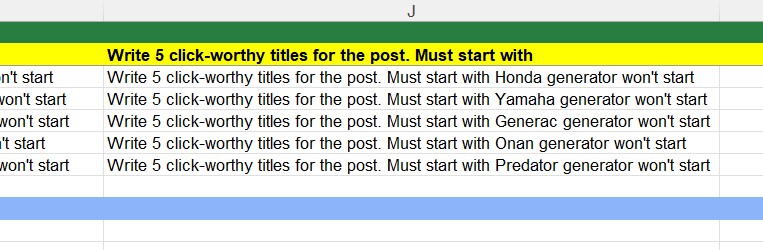
What else is left to add? Titles

And so we get clickable page title ideas:

  1. "Honda Generator Won't Start? Here's a Step-by-Step Guide to Troubleshoot and Fix it!"
  2. "Honda Generator Won't Start? Check Out These Common Causes and Solutions!"
  3. "Honda Generator Won't Start? These Error Codes Can Help You Diagn the Problem!"
  4. "Honda Generator Won't Start? It Could be a Low Oil Level. Here's How to Fix it!"
  5. "Honda Generator Won't Start? Don't Panic! Follow These Expert Tips to Get it Running Again!"

The Final Table With Queries

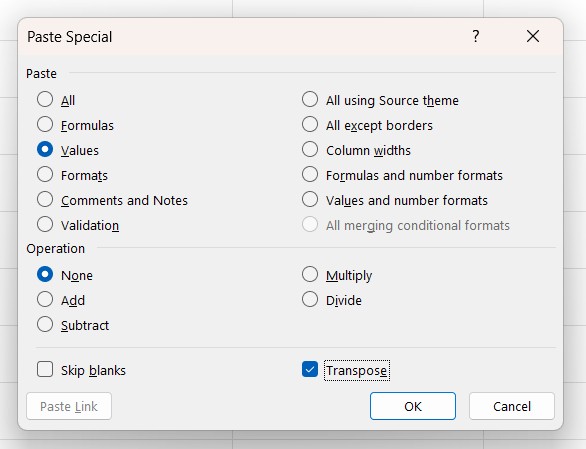
Copy the ready-made queries to a new tab:

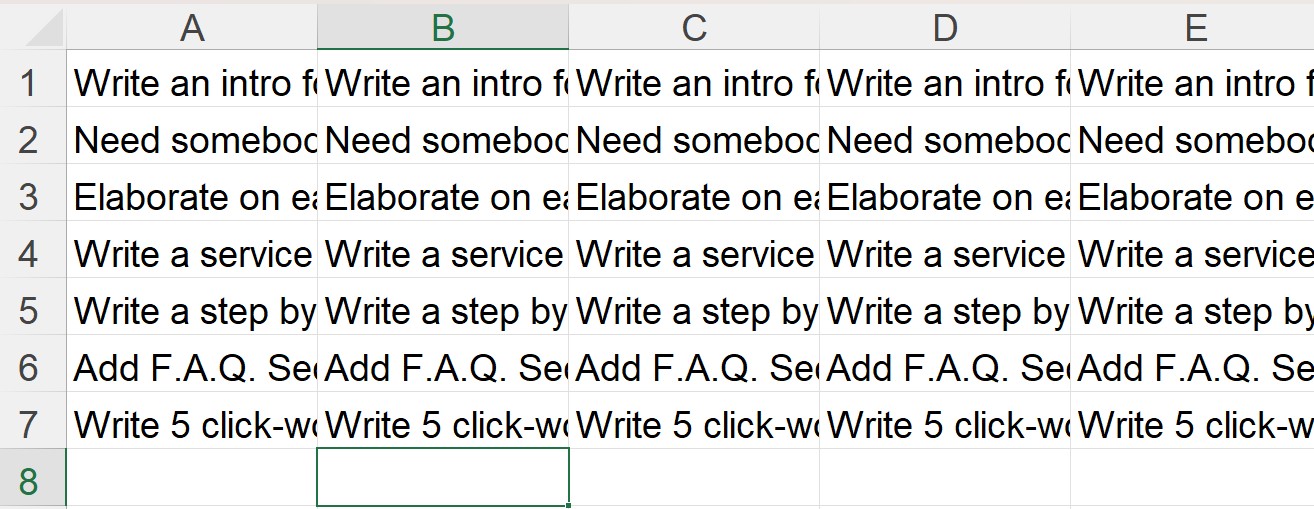
We get a page where the values are no longer formulas, but plain text. Like that:

As an example, I will show one of my test posts. If you add a few more queries and mess a little bit with the overall post structure. 4K+ words posts made by AI:

How to Import Queries to ChatGPT. Automation

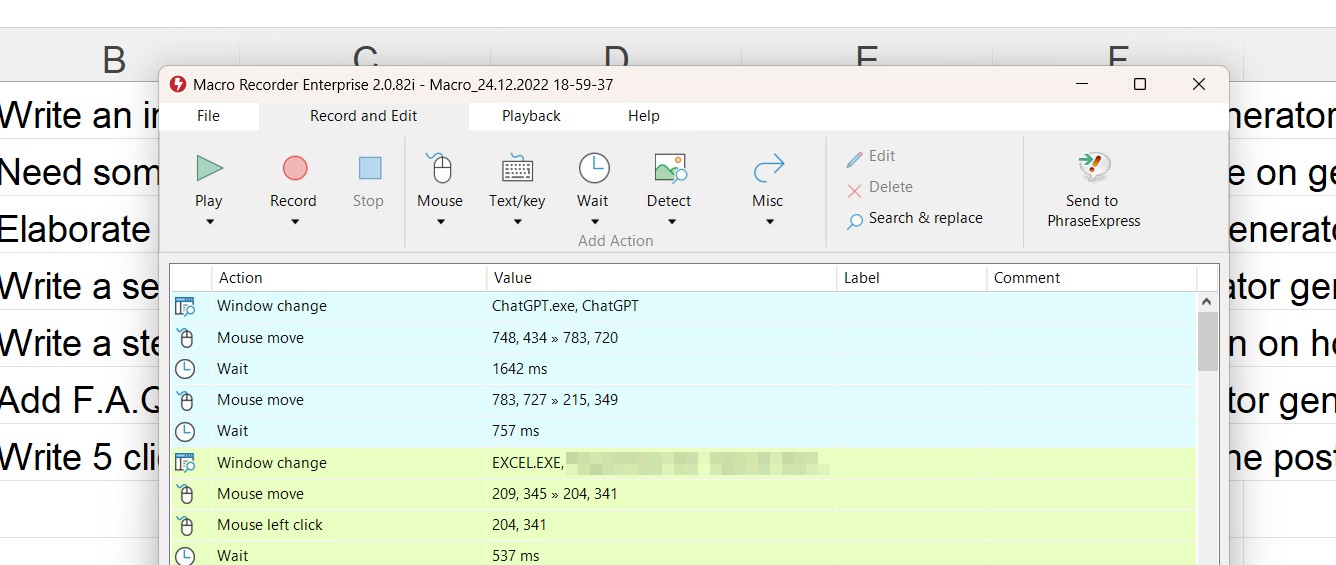
There are several options here, for example via Python (this one is too hard for me). So you can download MacroRecorder, try a trial or just buy it to easily automate any routine task.

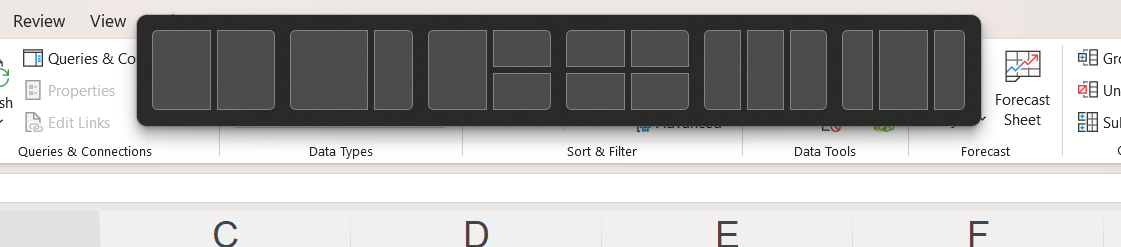
Divide the screen into two parts, take an Excel, pull it up in Win10, and put it on the left side:

On the right, put the desktop client for ChatGPT - download.

Record a macro that will press the button "New Chat" and copy and paste first, second, third, and as many lines as necessary with a delay, and then delete the column.

Excel will move the remaining columns to the left and the recording will start again. It usually writes about 6-7 articles till gets to the limits from ChatGPT. There's nothing we can do about it, so just come back in about an hour for more articles. Finish an onpage-optimization with SurferSEO or NeuronWriter. And it's Done!

Filed Under: Writing

Affiliate & Ads Websites. Your Quick Start Guide

October 14, 2022 by Strategist Leave a Comment

Affiliate websites have come a long way in recent years, from doorway-like pages with a few tables with referral links to quite decent niche-themed sites. Let's take a quick look at what is happening today and in what direction the emphasis has shifted. I've tried to make everything as close to my practice as possible.

Monetization

As I wrote earlier on Twitter, I have come to mixed monetization of sites through Amazon + Ezoic. Dropping off the aggressive tables at the beginning of the texts and switching to organically embedded products straight in content, often by regular text links or single product blocks. On product review pages, I've turned off the display ads not to reduce CTR.

All in all, 100 US-traffic unique visitors/day brings in about $100 a month. On mixed product/informational intent traffic. For example, on the site about reptiles, the main income from the product pages will be from Amazon sales of lamps, fillers, and glass terrariums. Plus additional income from contextual ads on pages about types of lizards/turtles, food, tips on care, etc.

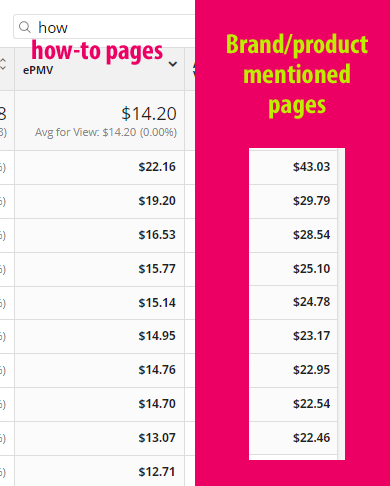
You need branded products on informational articles to increase revenue from contextual advertising pages. Bids on brands and "commercial" content are about two times higher than the rest of the how-tos. Writing about turtle nutrition facts? Mention top brands in some way. Simple as that.

Make it more diverse but related to a specific topic. So different types of content could actually get traffic without any link-building. Get perfection in on-page optimization, site structure, and content. Check the proportions of article quantity and revenue in different niches, for example, at Minted Empire (or any other public report with data) - here to get the idea.

Specifically for context, the income per thousand visitors varies greatly depending on what ads network to use. The contextual "food chain" looks like this - Adsense < Ezoic < MediaVine < Adthrive. Each increase is about half of the previous. Ezoic brings more from the same traffic than Adsense and so on.

Amazon, by the way, raises commission rates recently. Even on small sites, it can look quite good:

Choosing a Niche and Keywords

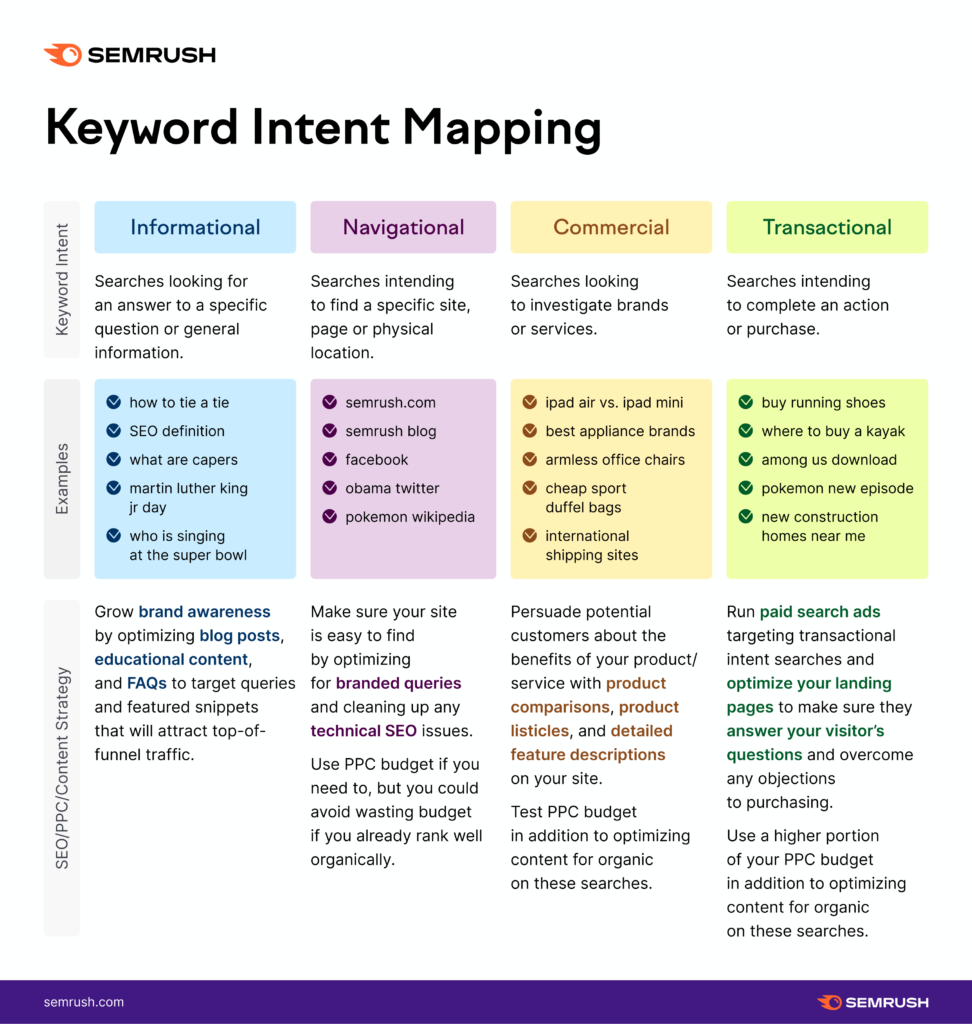
And the most troubling question - "Which niche to enter?". The answer is quite trivial tho. The one with traffic and commercial content search volume. A good infographic from Semrush below:

Ahrefs + Lowfruits still work great. Ahrefs is still good for keyword lookup from competitors and it's filters, while Lowfruits is for the final check-up of what to create content for. Roughly speaking, the first is to search for a niche, and the second is for a more detailed selection of keywords for articles.

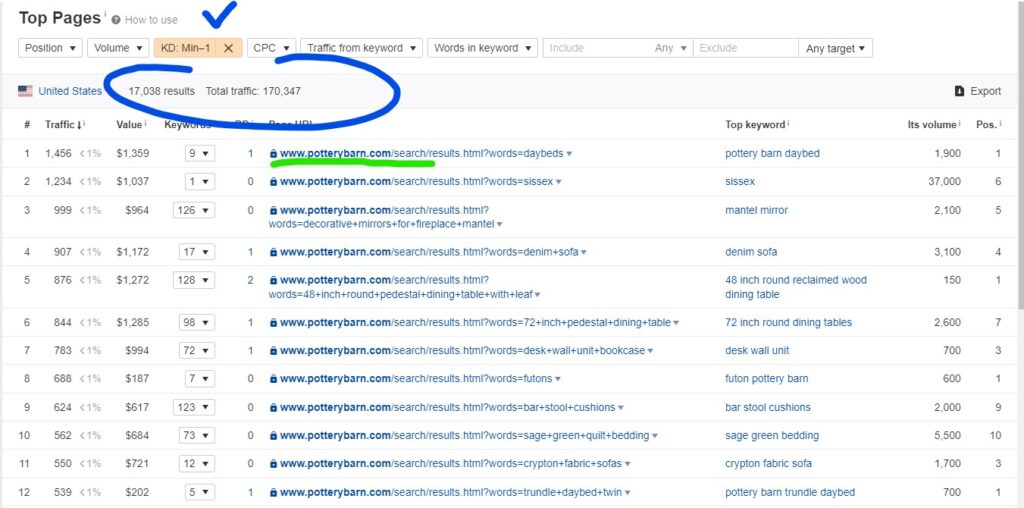
As an example, let's look at how major retailers are ranked in the States. This also could be a local, more specialized store in any other niche. Start searching for something on the store website itself and look at the URL. Look for top search results that are occupied by automatically created search pages ("Top Pages" in Ahrefs). If google places at top SERP results such pages, then there is a lack of content and not much to choose from. A good sign.

An example of the auto-generated search pages of major retailers:

www.bestbuy.com/site/searchpage.jsp
www.wayfair.com/keyword.php
www.costco.com/CatalogSearch

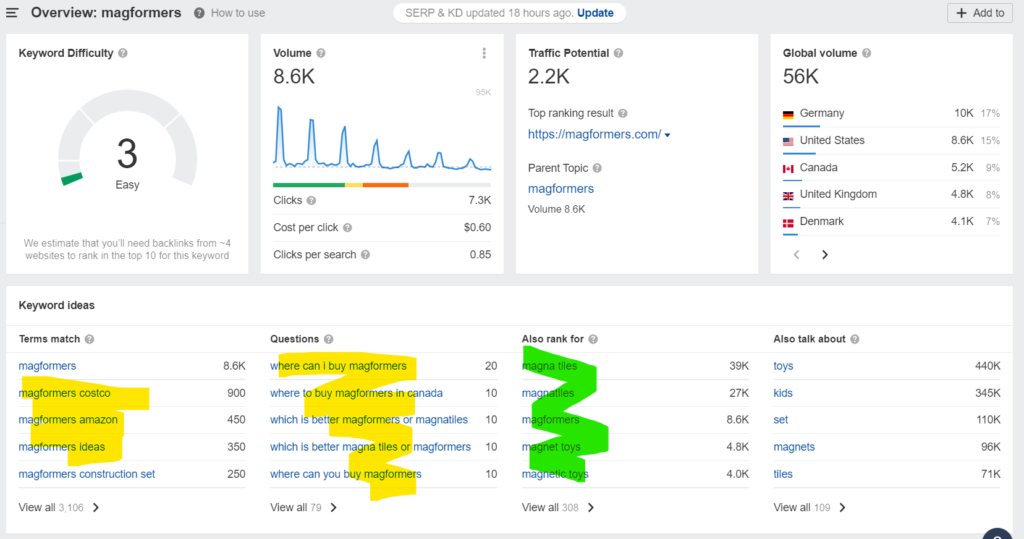
Simply put them in Ahrefs and drop down a filter on the KD. Include (form field) keywords for your specific niche (food, dogs etc.) and sort it in an even more specific way. For example:

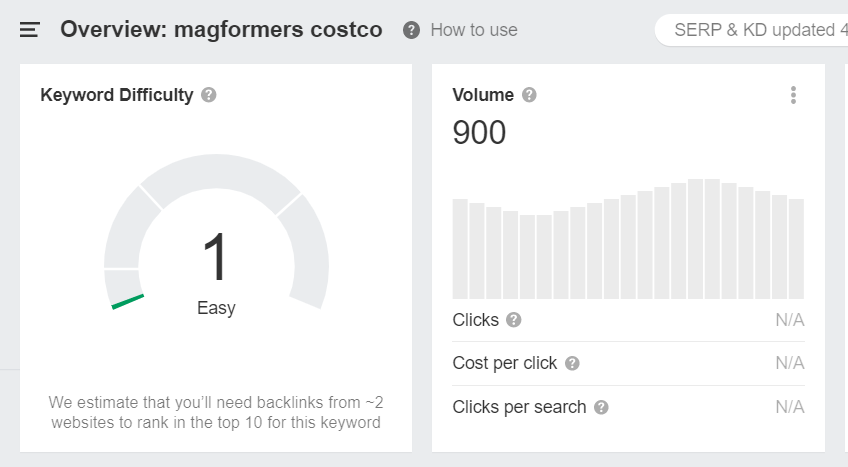
What are we looking for? Keywords like this:

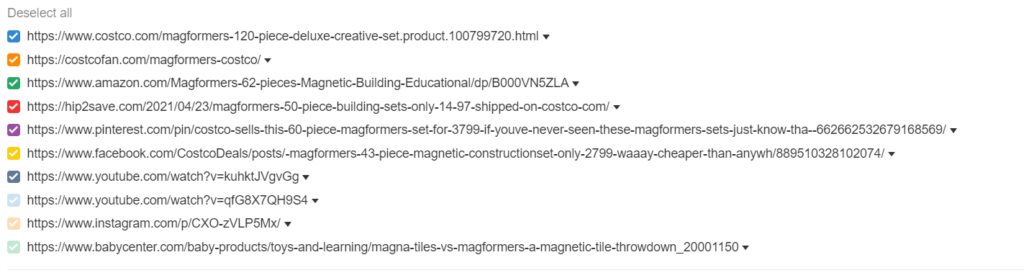
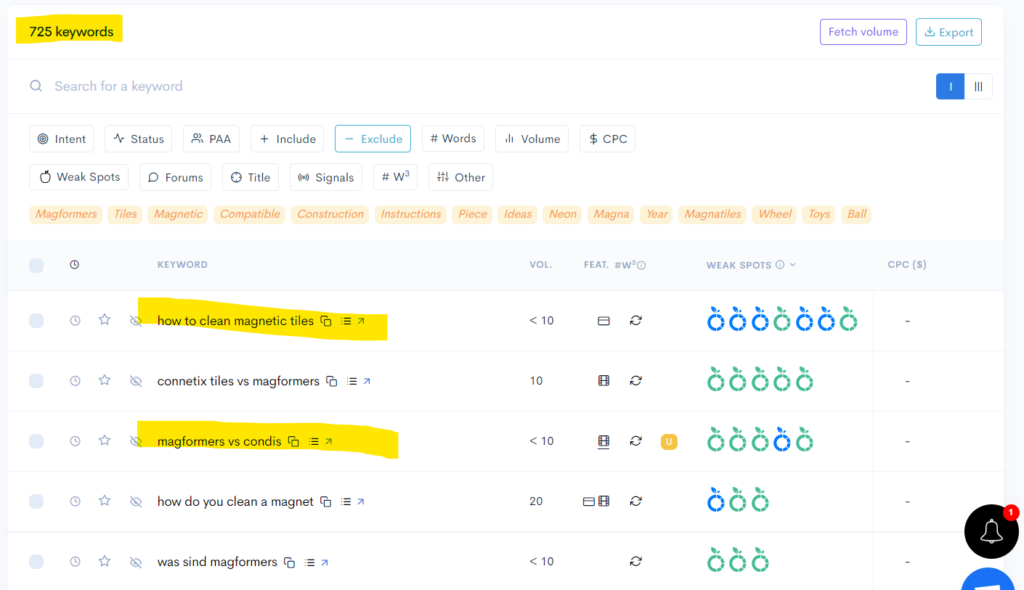
Looking for SERP results with low-quality or irrelevant content:

If you dig further, there are commercial and informational intent keywords with a separate sub-niche for magnetic toys.

And use Lowfruits to get these in detail.

Here is a more detailed look at Lowfruits. A convenient categorization with quick filters, even without throwing credits in any analysis is worth trying to see where to move on with the content.

Content Creation

As usual, I do not see a single reason not to use Jasper. Work separately with informational articles and make the structure for long-tail queries. Then implement a "brand swap" (great reading here, from Niche Twins)  which would immediately get 10-20-50 articles. They will rank exactly the same as the rest of the content on your niche site.

What it looks like in practice

Make a list of brands in your niche, let's say motorcycles:

  • Suzuki
  • Honda
  • Kawasaki
  • KTM
  • Husqvarna
  • Sherco

And write out the first informational article, such as "Yamaha quad bike does not start. What to do?". It turns out that 90% of the tips from this article will be relevant to ALL other brands. That 10% of differences in models of various brands will be necessary to crawl through forums/SERP and so forth and added with a Jasper. Get high CPC articles with "branded" traffic the smart way.

Consider the example of a site I've recently seen on sale. The cluster "<brand> Top Speed" is formed exactly this way: https://www.offroadcare.com/yamaha-ttr-125-top-speed-review/


This does not mean that you have to produce garbage pages from this semantics, but that's the point, that often competitors differ very slightly on the nuances of characteristics. Just bring in some fresh relevant content. Google perfectly indexes such articles on niche sites and all the myths about filters for duplicate content are nothing more than myths (link to tweet with Mueller's answer).

Add to this the fact that Google does not always clearly distinguish commercial and informational content queries (table above from Semrush) and willingly mixes informational posts in purely commercial SERP results with product names etc. Simply because of the lack of any other content types. I hope that there is no need to point out that doing informational articles for commercial content queries is a smart idea.

Common Approaches and Patterns

Okay, we selected the niche and keywords for it, what's next? First, it will be useful to structure everything by sections and form HUB-pages of categories and not just dump them in a list.

Read more here:

  • How to Build Category Pages for SEO [Master Guide]
  • Content Hubs for SEO: How to Get More Traffic and Links With Topic Clusters
  • Site Architecture: How To Beat High-Authority Sites With Fewer Links Using Proper SEO Silo Structure

Secondly, do not be lazy and fill the keywords for automatic internal linking. I use free Internal Link Juicer and it works like a charm. Now it's much easier to see all the interlinking and achors:

Third, use the free RankMath again. Yes, it's a very trivial thing with a list of reminders of what to include in the post, but it's convenient and it does work. Also, go for Gutenberg, the new editor in WordPress is good.

I prefer Popcorn Theme lately as the main template right now. Don't spend much time here and configure it step by step from this video. Fast and adaptive for mobile.

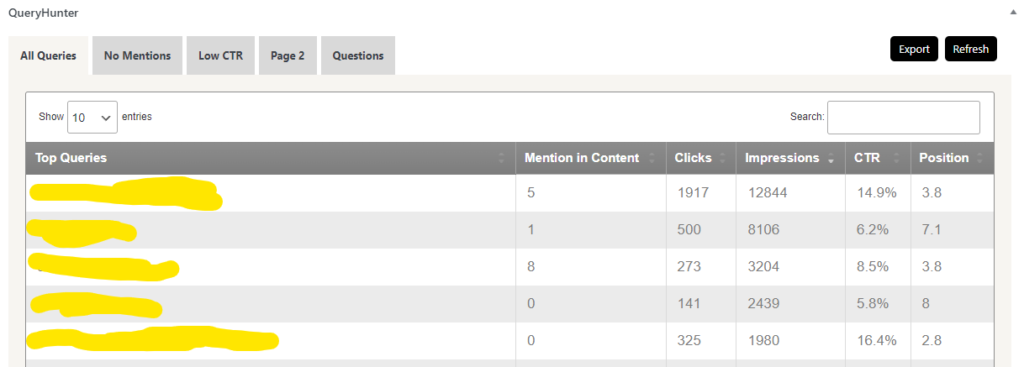
Next, when the site will grow up get a QueryHunter, which will pull up low-level queries from Google and PAA. Optimize existing articles and add more fresh content for that queries.

Next, register a fresh domain, and take FAST hosting, which will be green on all Google checks.

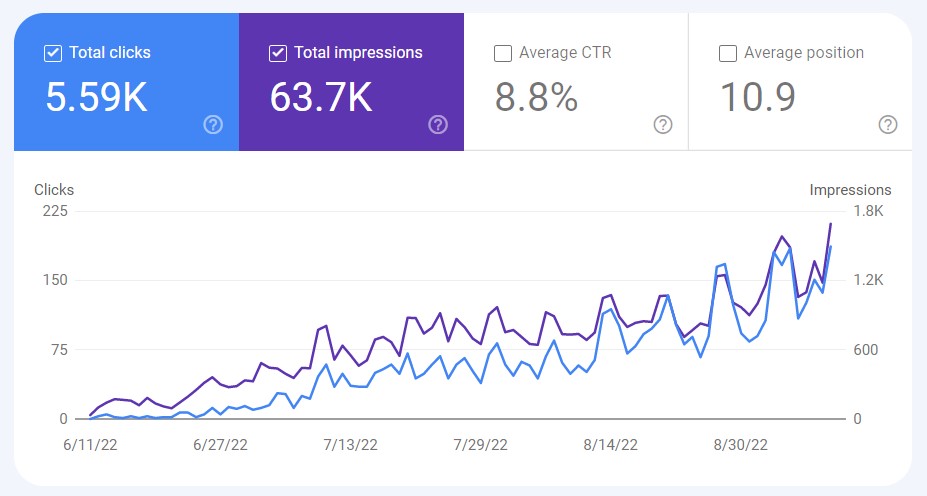
If everything is done correctly, begin to fill content and watch the growth. From a fresh domain, not even a reference yet.

Linkbuilding

Now, you have access to analytics, almost "free" content, and an understanding of how to build it all up. Don't mess with PBN's. Sign up for HARO, respond to a mailing list with content from Jasper, get backlinks, and slowly pump in the domain. Here is the sample.

Selling Website

Current multipliers are around X32-X36 of average monthly income.

  • Motion Invest - for sites with income up to $500/month.
  • Investors Club - for sites with income from $500 to $2000/month.
  • Empire Flippers - for sites from $2000 and beyond.

Everyone will take their fees but use the broker. It's always safe.

Startup budget

And putting everything into numbers.

  • Ahrefs - $100 (enough for a one-time start).
  • LowFruits - $100 (also depends on how you use it).
  • Jasper - $ 80/month.
  • Popcorn Theme - $100 (enough for one time)
  • Hosting - $250/year

Somewhere around thousand bucks to start. Is it that big to start? This is a rhetorical question, but as a business, niche websites are great. I hope this post will be helpful to those who are looking for some info on where to put their efforts and have been hesitant to start. Thanks for reading and good luck!

Filed Under: Writing

Write a Script and Compose a Youtube Video with AI

June 13, 2022 by Strategist Leave a Comment

When it comes to creating engaging YouTube videos, the script is king. A well-written, compelling video script can mean the difference between a video that gets views and one that flops.

But how do you write a great YouTube video script? In this post, I'll give you some tips and tricks for writing engaging YouTube video scripts that will keep your viewers coming back for more.

Now, as the "official" entry part for Google is finished let's get to business. I'll split this into two parts as I want this post to rank as well as teach some cool stuff. The ending part of this article is also written by Jarvis.

The Scripts and The Videos I'm Actually Building Right Now

Some days ago I have started to build my first ever Youtube channel. The topic is literally running and jumping around all day long so it was quite obvious for experiments, as I own a west highland white terrier. Here it is - Gabriel.

I'm not quite familiar with how youtube ranks and how to optimize everything, so just started with basic stuff looking for what is getting traffic and views: https://www.youtube.com/results?search_query=west+highland+white+terriers

The process seems to be quite straight-forward:

Research (we’re here) -> Write Script -> Compose Video -> Voice Over -> Publish

Top videos I've found

  • West Highland White Terrier – Top 10 Facts (Westie) (591K views)
  • West Highland White Terrier (Westie) - Characteristics and Care (321K views)

Nice. As we can see some educational videos with useful info on westies are on demand. Let's look some more in Ahrefs and finalize with basic topic research. There's a YouTube tab in there.

Some additional topics I've found for westies:

  • West highland white terrier hypoallergenic
  • Royal Canin west highland white terrier
  • West highland white terrier temperament
  • West highland white terrier life span
  • A Typical Day In The Life Of A Westie

What we'll need for video production

Kinda just a notebook/smartphone and some online service subscriptions to start producing content. Here's my shortlist for the first YouTube video ever. Hope the end result won't be disappointing 😀

  • First topics and keywords (Ahrefs will do)
  • A strong script with good info (hello, Jasper.ai)
  • Text to voice AI reader (Murf.ai)
  • Engaging video thumbnail maker (Canva.com will do)
  • Some CC0 audio (Google for it)
  • Smartphone (iPhone 11) and a dog (Westie) - check.

Let's build our first script outline for a youtube video

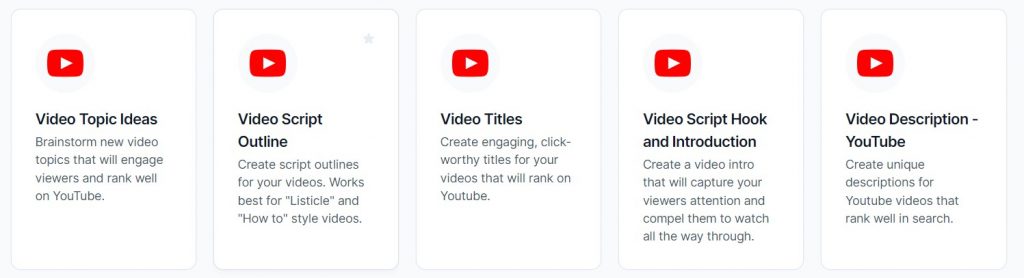
We've got a bunch of templates in Jasper:

Start with a title. I've rebuilt mine with the "Video Titles" template. Here's a new one: "10 Surprising Facts About West Highland White Terriers (Westies)".

Then, take "Video Script Outline" for the script outline.

Video Script Outline
  1. The West Highland White Terrier is a small dog that was bred in Scotland
  2. They are often called “Westies” for short
  3. They have a white coat of fur and a black nose
  4. They are considered to be one of the most friendly dog breeds
  5. They make good pets for both families and singles
  6. They require regular exercise, but can also adapt well to living in an apartment setting
  7. They are known for being excellent watchdogs
  8. Their coats should be brushed regularly to keep them looking their best
  9. Westies typically live 10-12 years, though some have been known to live as long as 16 years
  10. They can be quite vocal and are known for their distinctive bark

And the intro part with "Video Script Hook and Introduction".

Video Script Hook and Introduction

Hook: In this video, I’m going to share 10 surprising facts about the West Highland White Terrier that you may not know.

Introduction: Hi, my name is [ENTER NAME] and in this video, I’m going to share 10 surprising facts about the West Highland White Terrier. If you’re thinking of getting a Westie or are just curious about these dogs, then you’ll want to stick around for this one.

Script writing with Jarvis.ai

Not much to say here, that's where Jarvis actually shine when everything is well-structured. With the simple Compose button.

Video Script Written with Jarvis
The Westie is a friendly and playful dog that is great with children. The Westie is also an intelligent dog that is easy to train. The Westie has a strong hunting instinct and is an excellent watchdog.

The West Highland White Terrier is a small dog that was bred in Scotland

The West Highland White Terrier was originally bred to hunt foxes and badgers in the wilds of Scotland. They were also used as working dogs on farms. The Westie is a descendant of the Cairn Terrier and the Scottish Terrier.

The West Highland White Terrier is a small, sturdy dog with a short, dense coat of pure white fur. The Westie has a broad head with prominent dark eyes and erect ears. The muzzle is short and the teeth meet in a scissors bite. The neck is thick and muscular and the body is compact and square. The tail is thick at the base and tapers to a point. The legs are straight and the feet are round and compact.

They are often called “Westies” for short

Some people call them “Westies” for short because they come from the Western Highlands of Scotland. Another nickname for the Westie is the “Wee White Dog”.

They have a white coat of fur and a black nose

The Westie’s fur is thick and dense, and it comes in pure white color. The fur is meant to protect the dog from the harsh weather conditions in Scotland. The fur is also very short, which makes it easy to groom.

The Westie has a black nose and dark eyes. The West Highland White Terrier is an intelligent dog that is easy to train. They are also very active, and they need plenty of exercise. The Westie is a friendly dog that is great with children.

And so on. Check the final video below for a full script.

Putting it all together

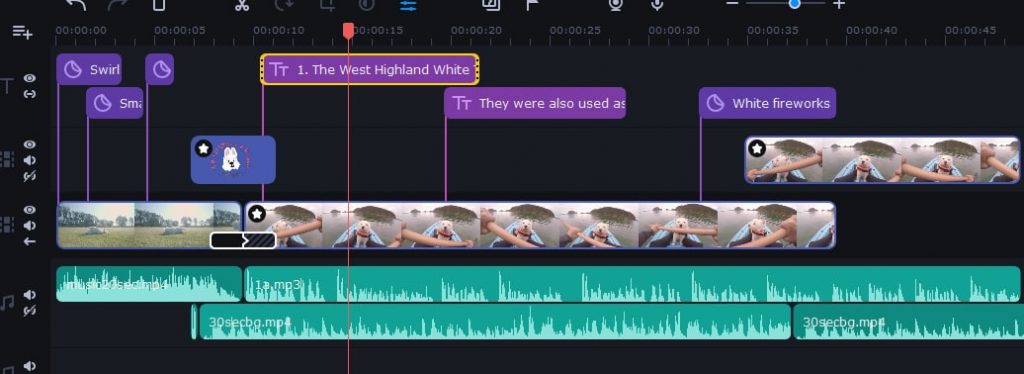
I took Movavi Video Editor for the discount - https://www.movavi.com/special-sale. That was an easy one to install and start working with.

And the final result... I should write a better script next time, but considering this one is my first video ever, quite happy with it. The next westie-episode will be better, I promise 😀

What makes a good YouTube video script?

1. Write for Your Target Audience

Before you start writing your YouTube video script, take some time to think about who your target audience is. What are their interests? What kind of language do they use? What kind of information are they looking for?

Once you have a good understanding of your target audience, you can start tailoring your script to them. Write in a style and tone that will appeal to them, and focus on topics that are relevant to their interests.

2. Keep It Short and Sweet

No one wants to sit through a 20-minute video, no matter how interesting the topic is. In general, shorter videos are more engaging than longer ones, so try to keep your YouTube video scripts on the shorter side.

Aim for around 2 minutes if possible, but no more than 5 minutes. Any longer than that, and you risk losing your audience's attention.

3. Hook Them from the Start

The first few seconds of your video are crucial for hooking your viewer's attention and keeping them watching. Start off with a bang by opening with a strong hook that will make your viewers want to keep watching.

This could be anything from an interesting fact or statistic, to a personal story or an emotional appeal. Whatever you do, make sure it's something that will grab your viewers' attention and make them want to see more.

4. Write in an Active Voice

When writing your YouTube video script, use active voice rather than passive voice. This means using phrases like "you can" or "we will" instead of "you will be able to" or "we would like."

Active voice is more engaging and easier to understand than passive voice, so it's a good idea to use it whenever possible.

5. Use Natural Language

When writing your YouTube video script, avoid using jargon or technical language that your viewers might not understand. Instead, use natural language that everyone can follow along with.

This doesn't mean dumbing down your content, but rather using terms and phrases that everyone can understand. Remember, you want to make your videos as engaging as possible, so use language that won't turn people off.

6. Keep the Action Moving

Your YouTube video script should be packed with action and movement to keep things interesting. No one wants to watch a video that's all talking and no action, so make sure to include plenty of both.

If you're stuck for ideas, try thinking of ways to visually represent the points you're trying to make. This could be anything from using props and demonstrations to showing footage or images.

7. Make It Engaging

The whole point of writing a YouTube video script is to make your videos more engaging, so make sure to do just that! Use the tips and tricks above to write scripts that will grab your viewers' attention and keep them coming back for more.

Overall

That's what I love doing - curating content. Take time for research and put things together, AI helps much nowadays.

Filed Under: Writing

How to Create PERSONAL Product Reviews With Jasper.ai in 3 Easy Steps

May 27, 2022 by Strategist Leave a Comment

Hey guys, hope you are doing well with the latest Google core updates. Wanted to share my small workflow template for product reviews as it's shown to be simple yet effective. It actually started with this one but evolved already to this one. So let's get started.

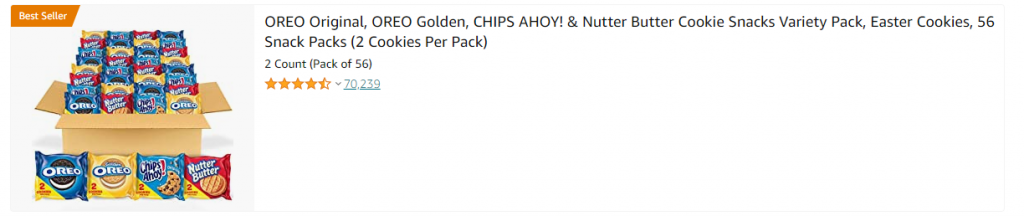
Our aim is to write a review part of any product for our BEST or HOW-TO articles with a little touch of personal experience or story. People love storytelling and that's where Jasper is actually shining. Let's choose a random (literally) product from Amazon and curate a review for it:

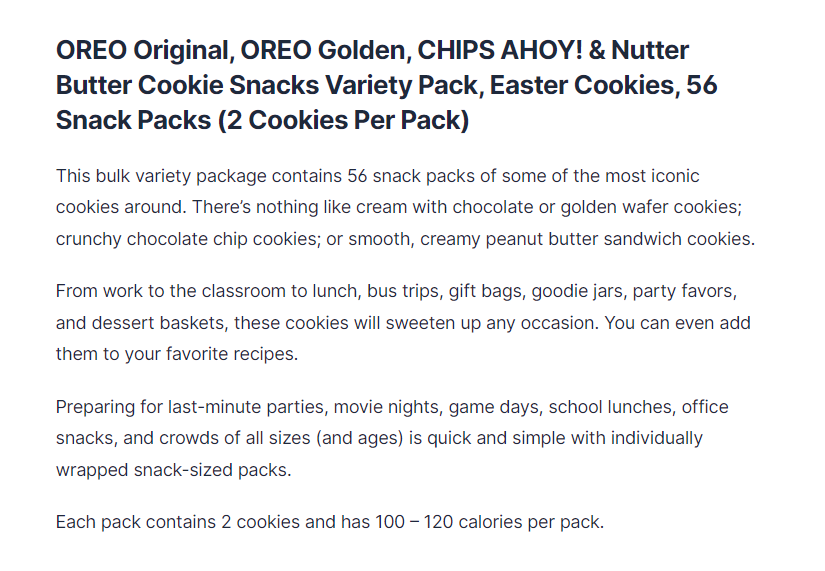
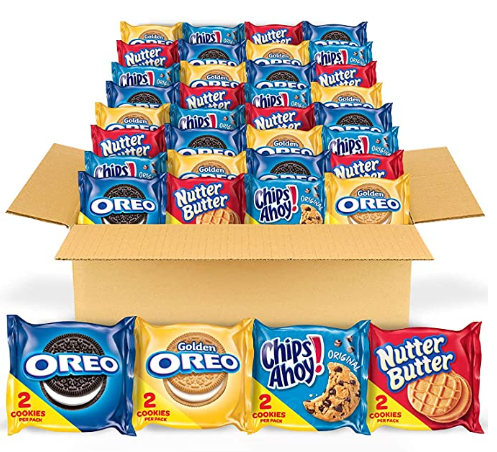
Okey. Let's take these Oreo cookies as an example.

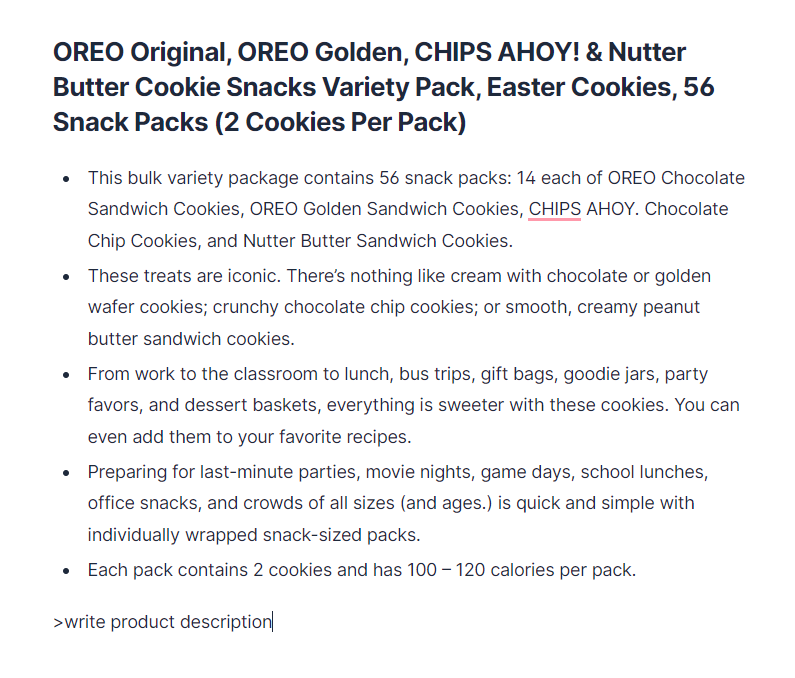
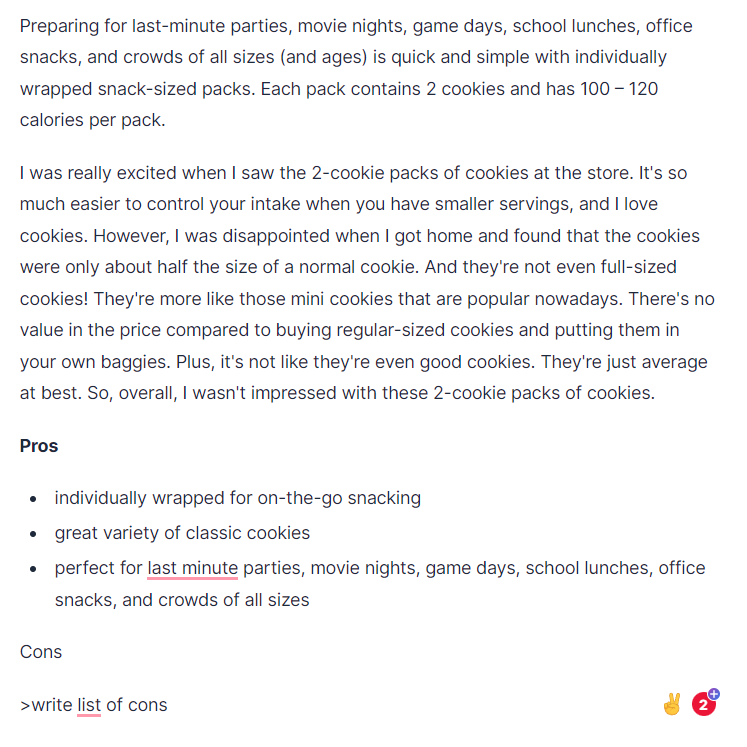
Create a new document in Jasper and copy About this item part into it. Execute >write product description command by pressing CTRL + ENTER below this paragraph to start with the intro.

Delete the info section after it's done. Here we go:

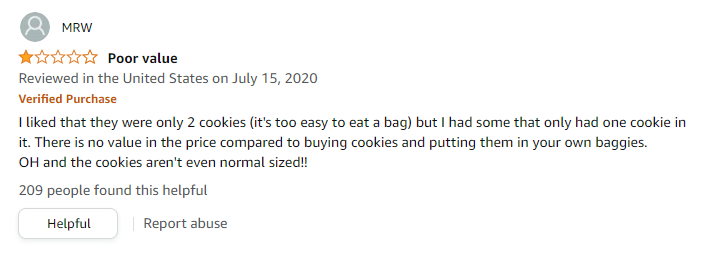
Now, move to the Reviews section and choose one with a personal touch. I liked this one:

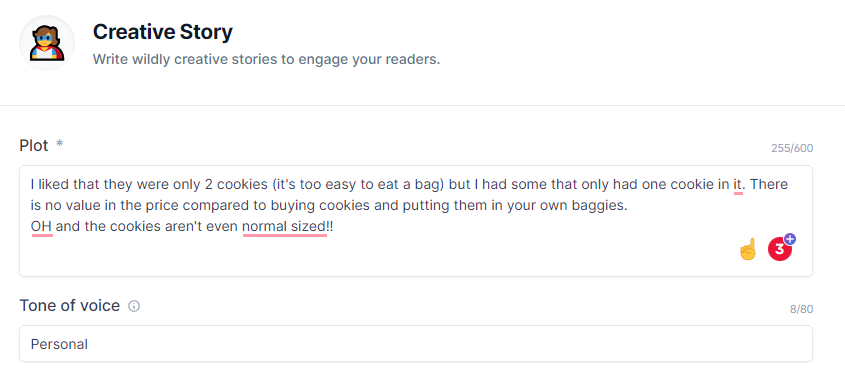
Now. Copy it to the Creative story template.

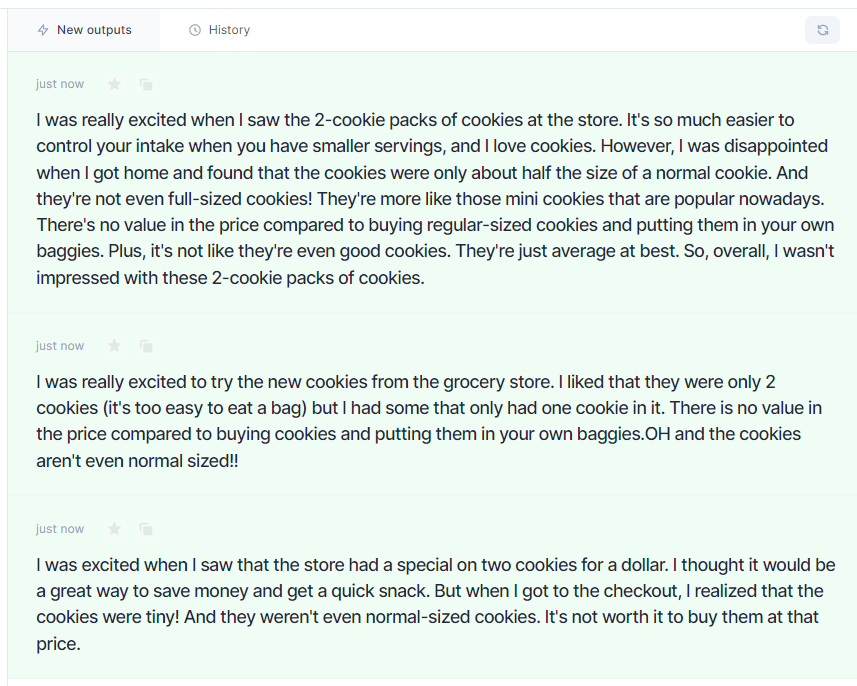
And click Generate AI Content button. It got me to these results:

And end up with a list of Cons and Pros

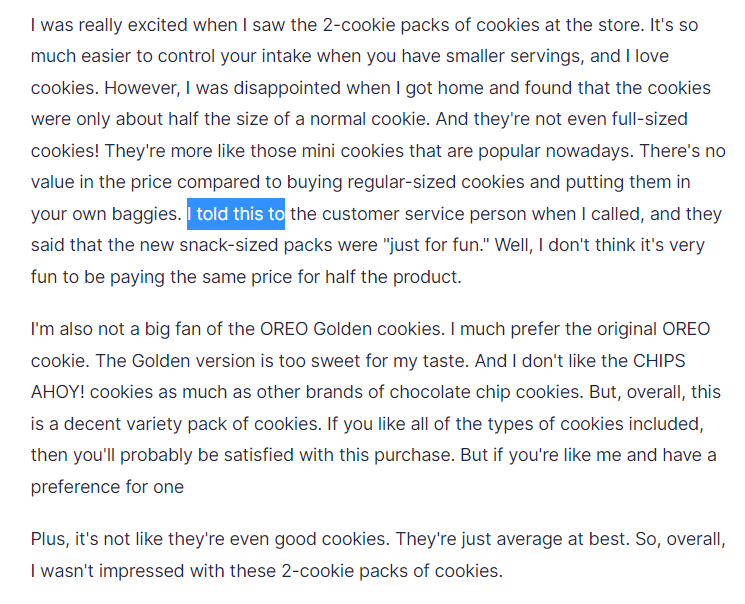
Really funny to see how Jasper could mix and continue these stories. Try to continue the story by typing I told this to as I did in the middle and push Compose. See...

And the final result for this Oreo review.

OREO Original, OREO Golden, CHIPS AHOY! & Nutter Butter Cookie Snacks Variety Pack, Easter Cookies, 56 Snack Packs (2 Cookies Per Pack)

This bulk variety package contains 56 snack packs of some of the most iconic cookies around. There’s nothing like cream with chocolate or golden wafer cookies; crunchy chocolate chip cookies; or smooth, creamy peanut butter sandwich cookies.

From work to the classroom to lunch, bus trips, gift bags, goodie jars, party favors, and dessert baskets, these cookies will sweeten up any occasion. You can even add them to your favorite recipes. Preparing for last-minute parties, movie nights, game days, school lunches, office snacks, and crowds of all sizes (and ages) is quick and simple with individually wrapped snack-sized packs. Each pack contains 2 cookies and has 100 – 120 calories per pack.

I was really excited when I saw the 2-cookie packs of cookies at the store. It's so much easier to control your intake when you have smaller servings, and I love cookies. However, I was disappointed when I got home and found that the cookies were only about half the size of a normal cookie. And they're not even full-sized cookies! They're more like those mini cookies that are popular nowadays. There's no value in the price compared to buying regular-sized cookies and putting them in your own baggies. I told this to the customer service person when I called, and they said that the new snack-sized packs were "just for fun." Well, I don't think it's very fun to be paying the same price for half the product.

I'm also not a big fan of the OREO Golden cookies. I much prefer the original OREO cookie. The Golden version is too sweet for my taste. And I don't like the CHIPS AHOY! cookies as much as other brands of chocolate chip cookies. But, overall, this is a decent variety pack of cookies. If you like all of the types of cookies included, then you'll probably be satisfied with this purchase. But if you're like me and have a preference for one type over another, you might be disappointed.

Plus, it's not like they're even good cookies. They're just average at best. So, overall, I wasn't impressed with these 2-cookie packs of cookies.

Pros

  • individually wrapped for on-the-go snacking
  • great variety of classic cookies
  • perfect for last minute parties, movie nights, game days, school lunches, office snacks, and crowds of all sizes

Cons

  • cookies are only about half the size of a normal cookie
  • not even full-sized cookies
  • no value in price compared to buying regular-sized cookies and putting them in your own baggies
  • average at best

PS: My kids also prefer original OREO to these 🙂

Filed Under: Writing

Get Paid to Write: How to Make Money Writing with AI in 2022

February 15, 2022 by Strategist Leave a Comment

Stop wasting time, start writing now, and get paid within 24 hours.

In this age of increasing automation and technology, more and more people are becoming inadequately employed. With a current percentage hovering around 40% it is clear that something must be done on a national level to prevent further job loss. As the industry of artificial intelligence grows larger with each passing year, it brings both social benefits as well as potentially drastic detriments to society. In order to offset the widespread unemployment caused by advancing AI technology, there must be an incentive for companies to invest in human capital once again. These incentives may lie within the realm of creative industries such as writing and journalism.

Currently, many of our best writers are being replaced by algorithms that can produce articles faster and cheaper than any writer could. And you could become one of those who stand with AI. Actually, you could grab some free words and see how it works just now.

However, these algorithms are not without their flaws and it is clear that AI has yet to take over writing completely. Great content writing with AI still needs to be curated.

How To Make Money Writing In The Age Of AI Assistants

In order to make money with your writing, it is important that you choose a niche in which you can provide value or just launch a freelance writing career. By producing consistently high-quality content you will gain a following of readers who come to value your insights or customers that return with more orders.

In order to make good money as a writer, it is vital that the content you produce resonates with your audience and drives significant traffic towards your site.

Once you have found a topic that you know will provide value and be profitable, the next step is to build a website through which potential customers can contact you or purchase subscriptions. Depending on your chosen niche, this could be anything from a blog to an industry-specific news site. Once you have built up some credibility within your field, begin reaching out to companies in search of sponsor and affiliate deals. With the help of AI, you have access to expertise in any field.

How to make money Creating Collateral for Content-Hungry Businesses

As you are likely aware, many companies are in constant need of promotional materials in order to attract customers. This could be anything from an advertising brochure to a successful blog. Creating this type of collateral can open up several opportunities for you to make money through your writing skills. If you have experience with web design or graphics, then creating attractive ads is likely something that comes naturally to you. Don't hesitate to promote yourself on Fiverr. Not a big deal with Jasper.ai to get these things done:

  • Attention-grabbing titles
  • Easy-to-understand words
  • SEO-optimization with at least 2 keywords included
  • Topic research and citation
  • You tell me what tone you would like - funny & lighthearted, professional, etc.
  • You provide the topic and desired targeted keyword

What Skills Do You Need To Be A Successful Writer In The Era Of AI

One of the most important skills that you can cultivate in order to make money with your writing is critical thinking. In this complex and often confusing digital age, it is vital that you are able to determine what information is reliable and what is not. 

When deciding whether or not you want to work with a company or individual, look out for red flags such as discrepancies in their promises. If they seem indecisive about deadlines or pay rates, take caution before moving forward with them. You will find that providing value through your writing comes from trusting yourself and following your intuition rather than just blindly accepting every offer given to you.

How To Stay Ahead Of The Curve And Keep Up With The Latest Writing Trends

In order to stay ahead of the curve when it comes to your writing, you need to be open to change whenever necessary. While there may have been a time when it was acceptable to write long-winded articles without much substance, this has quickly become a thing of the past. In fact, one must be able to provide valuable content in as few words as possible if they hope for their work to be taken seriously.

As AI continues gaining momentum within our daily lives and businesses, we will find that many things such as social media marketing and web design will become increasingly automated. This means that the demand for human input on these fronts will decrease significantly while new types of opportunities arise on an almost daily basis. So yes, automate your writing. 

How Can I Make Money Writing Online?

Now that you have a better understanding of what it takes to make money writing online, you are ready to take your first steps toward doing so. Keep in mind that this kind of work is best suited for individuals who are self-starters and do not need constant direction. If you can apply yourself with the same determination and dedication as someone who is programming an AI system, then there is no reason why you cannot be successful when making money writing online. You may find a more detailed article on how to get into the "hustle" of copywriting - here.

Can you Make Money Writing as a Beginner?

If you are just starting out as a writer, the first thing you will need to do is create an online presence by way of your own website or blog. This is where potential clients can learn more about the services that you offer and also provides them with some examples of your previous work. If there are certain topics that you would like to focus on initially, then be sure to list these accordingly for individuals looking for writers in those fields of expertise.

Get a professinal looking template from TemplateForest (like this one) and start out with first articles for your new portfolio. Build yourself as a brand. Simple as that.

You will find that many companies prefer hiring freelancers who have actual experience working with their specific industry rather than fresh graduates with little knowledge on how it operates. Keep this in mind when creating your portfolio so that it demonstrates exactly what kind of impact you can make within any given company or organization.

Do those Freelancing Websites Work?

One of the most popular platforms for hiring freelancers is Upwork. This website allows those seeking writing services to connect with a virtual pool of talented professionals around the world. While many experts can be found within this system, it is important to remember that there are also individuals who do not know how to work well with others - let alone write an article on their own!

This means that you will need to take every precaution possible when applying for any job openings through this or other similar sites. If you see that someone has left negative reviews about one particular individual, then this person might not be worth your time even if they are offering up relatively high-paying gigs.

As AI continues becoming more advanced and widespread, we will find that humans will be required to act as its support system. Those who can provide quality content that is free of errors will be in high demand, especially if they are able to come up with fresh ideas on a regular basis. While this may seem like an overwhelming task at first, it becomes much easier over time when executed correctly.

How Much Money Can you Make Writing?

Since this is your first time making money writing online, there are a few things that you should probably be aware of up front. For instance, while it might be possible for some people to make upwards of $10,000 per month through their efforts, others may only generate between $1-$3 - or even less!

The reason why compensation can swing so drastically is due to the sheer number of writers who are currently vying for any given job opening. Even if you see that the pay rate is within your desired range, this does not necessarily mean that you will get the gig since there are likely dozens (if not more) of individuals who are willing to work for lower prices.

This means that in order for any freelancing website to be profitable, they need to have many writers in their system so that the balance between supply and demand is always kept in check. For example, if there are 100 individuals who want to make money writing online through one website but only 5 jobs available, then it will be difficult for everyone involved to find sufficient work over an extended period of time. Lots of fresh jobs could be found at the ProBlogger job board.

How Can Artificial Intelligence Assist You?

The best way to get your foot in the door when making money writing online is by creating connections with others who are further along than you. Since AI has become very popular within the last few years for obvious reasons, you should take some time learning about how it can help creatives like yourself bring their ideas into fruition.

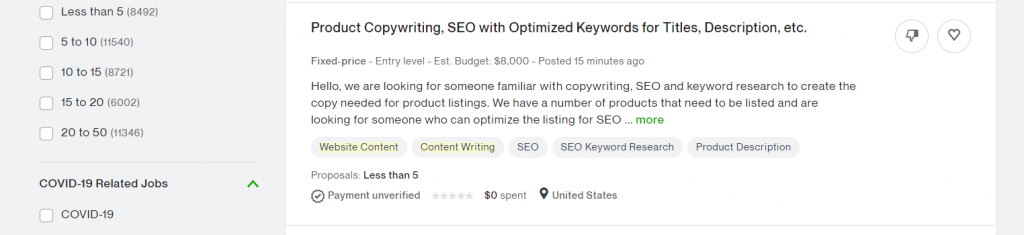
For instance, rather than hiring a  human to write about the latest breakthroughs associated with AI, why not simply hire an algorithm? While this may sound farfetched at first, it is clear that there are many benefits associated with turning over your article assignments to a robot capable of integrating facts and other information without making any mistakes.

These are just two examples of how AI can become beneficial for those looking to make money writing online. The more you learn about this technology, the easier it will be for you to reach out to others who are willing to pay high dollar amounts in order to obtain quality content on a regular basis.

What Are Some Sites Where I Can Get Paid to Write?

While the number of freelancing websites constantly changes over time, there are some online hubs you can rely on at any given point in time. 

So if you haven't already signed up to use one or more of these websites, then it's recommended that you take the necessary steps in order to do so before someone claims your desired job posting. This is especially true when considering how many people may apply for a single writing job!

Some Final Thoughts about Money Writing with AI in 2022

Have you ever considered making money writing online? If not, then hopefully this article has inspired you to consider taking action in this regard rather than trying to find other ways to make extra income.

 This guide is still curated by a human being. You could write one yourself using Jasper boss mode and a more complete tutorial. 

Filed Under: Writing

Next Page »
  • About
  • Twitter

Copyright © 2026 · WritingStrategist.com