
This guide will be useful to anyone who is involved in affiliate marketing regardless of niche or method of monetization. As for now, mainly we're using it to create heavily review-based websites for Amazon Associates affiliate program. Nowadays, we came to the point where we can craft expert-written content on any topic by ourselves. Rocket engines and home alarm systems or even life of snails in aquariums, without any copy/re-writing services.
Before we start - check the final result of an article made by Jarvis in every word. Just to clarify what we'll be talking about.Earnings, Yes
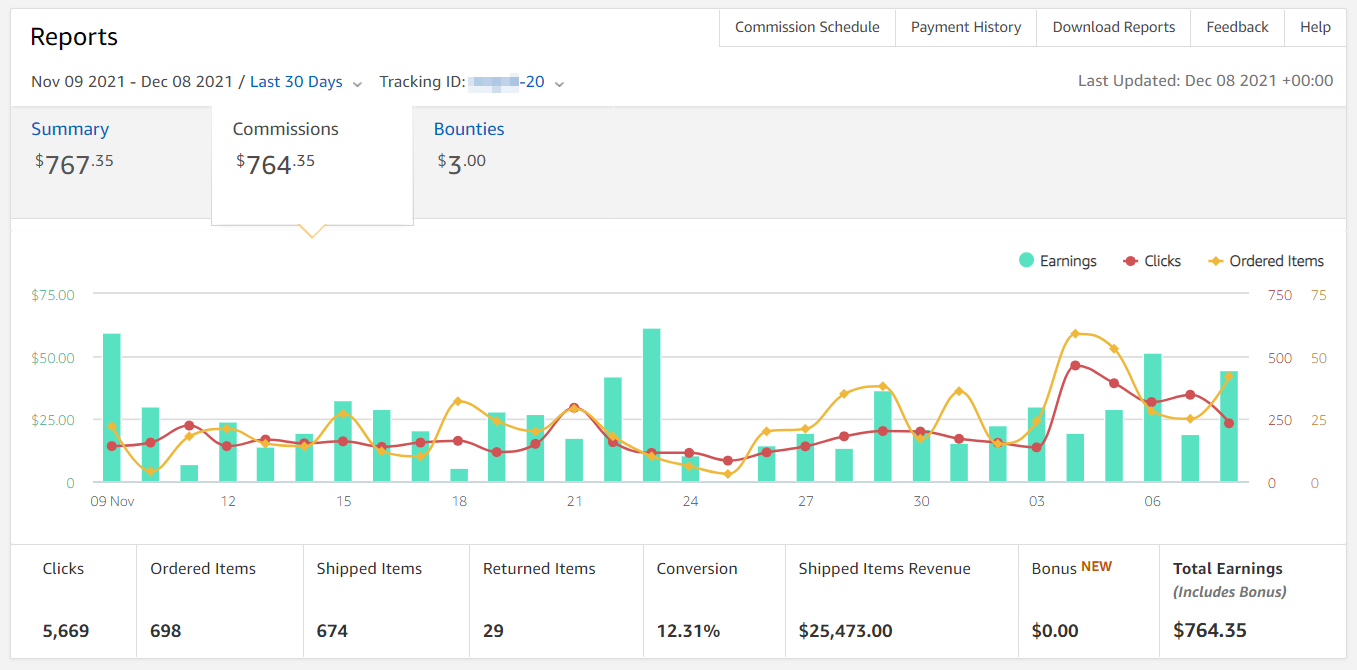
Some stats from a six-month-old affiliate website filled with AI content. Basically, you can start earning online just by finishing reading this guide no matter what affiliate program you'd like to start with. The source of ANY content you'll need is here.
The content creation process is quite unified by templates, so basically, what you'll need for a start is some understating of keyword research and a jasper.ai account. You may grab a trial with 10K bonus credits - here.
Step-By-Step: Start Producing Affiliate Content
 Let's take a closer look at what we will need for a steady workflow. In general, we are talking about expenses like hundred bucks a month. Let's consider this as a new threshold for entering affiliate marketing. Drastically cutting expenses for any enthusiast with a basic knowledge of SEO.
I would like to warn you right away that this is not a one-button text generator. We must have an understanding of what should be on the other end as an output. No need to hammer nails with a microscope. Our main goal is to use tools in assistance and not just rely on them to do the job for us.
Quick Start Toolkit
- Trained AI based on GPT-3 for writing - jasper.ai
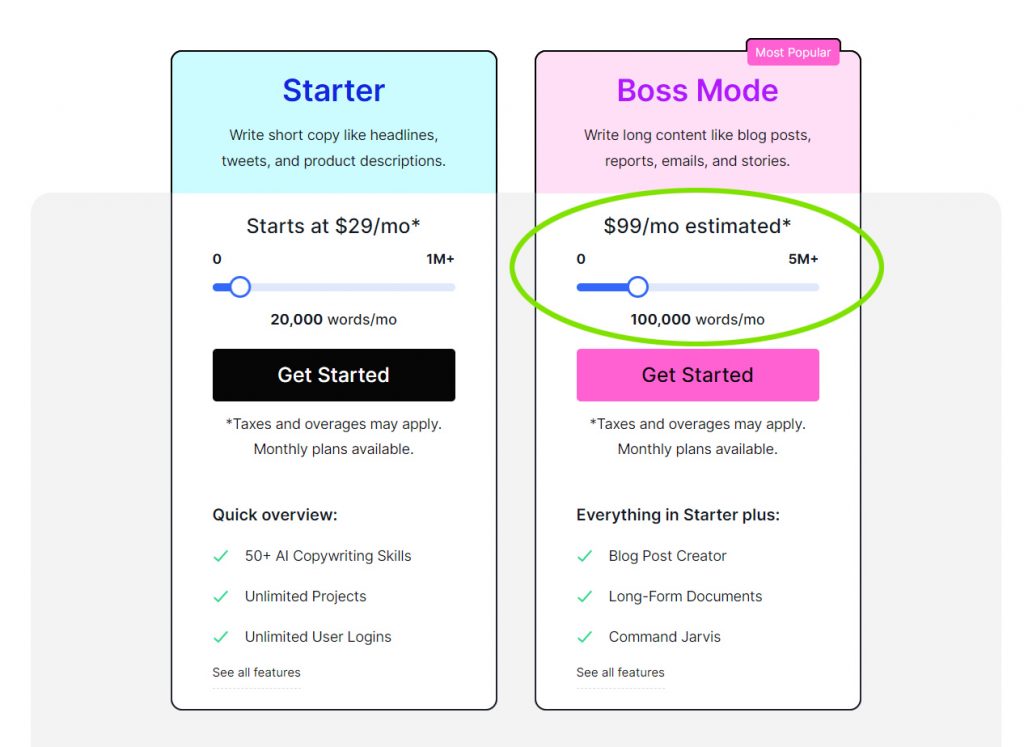
Having tested several services, the clear leader today is jasper.ai. There are competitors, but this particular thing already has the right modules for reviews and how-tos, which saves a lot, a lot of time. Essentially the article we'll be putting together is like a puzzle of modules for the right semantics. You will need a Boss-mode for $100/month in which Long form Assistant is available.

- Keywords research and analytics - Ahrefs
Further development of websitesite and low-frequency queries (100 $/month). - Grammarly spell checker - Grammarly
It is unlikely you will need anything but Grammarly. The free version is enough. Correct commas and misspellings of words. - Video to text transcription - Rev.com
Quite often it is easier to spend a dollar and get a ready-made outline for an article. Either way, Rev.com is often useful. - Check texts for uniqueness - Copyleaks
Better through https://copyleaks.com ($9/month or free credits).
Content Types
The main types of articles that we use on our sites are informational ("how-to" queries) and reviews ("best" queries) collected in the buyer's guide, reviews of individual products do not differ from them anything except volume. Other types of materials also somehow take them as a basis. For example, a product overview can be integrated into how-to's, and two separate products are combined into a comparison article of the form "<item1> vs <item2>" and so forth.
Well, now let's see how we could do better with jasper.ai than an average copywrites from TextBroker that usually priced like a hundred bucks for 3000 words.
Preparing an Article Outline
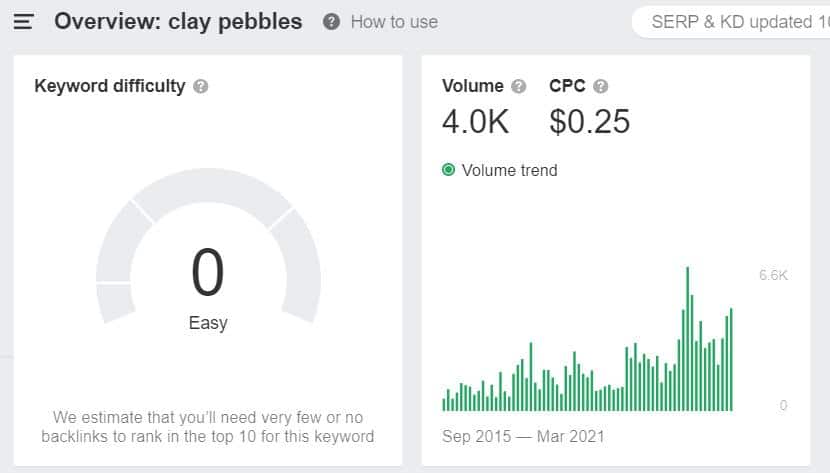
Let's say we have a gardening website and we want an article for a niche keyword like "clay pebbles" and its low volume long-tail keywords. Check it in Ahrefs.
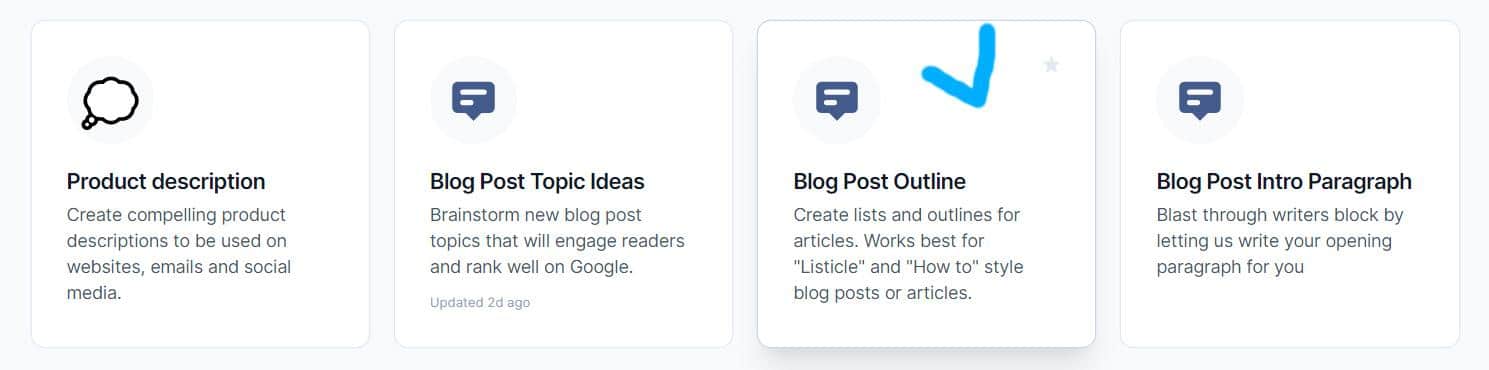
Login to jasper.ai and start with Blog Post Outline module, which will help us to outline the article.
Fill in blog post title - Clay Pebbles Your Epic Growing Guide. Tone of voice - professional.
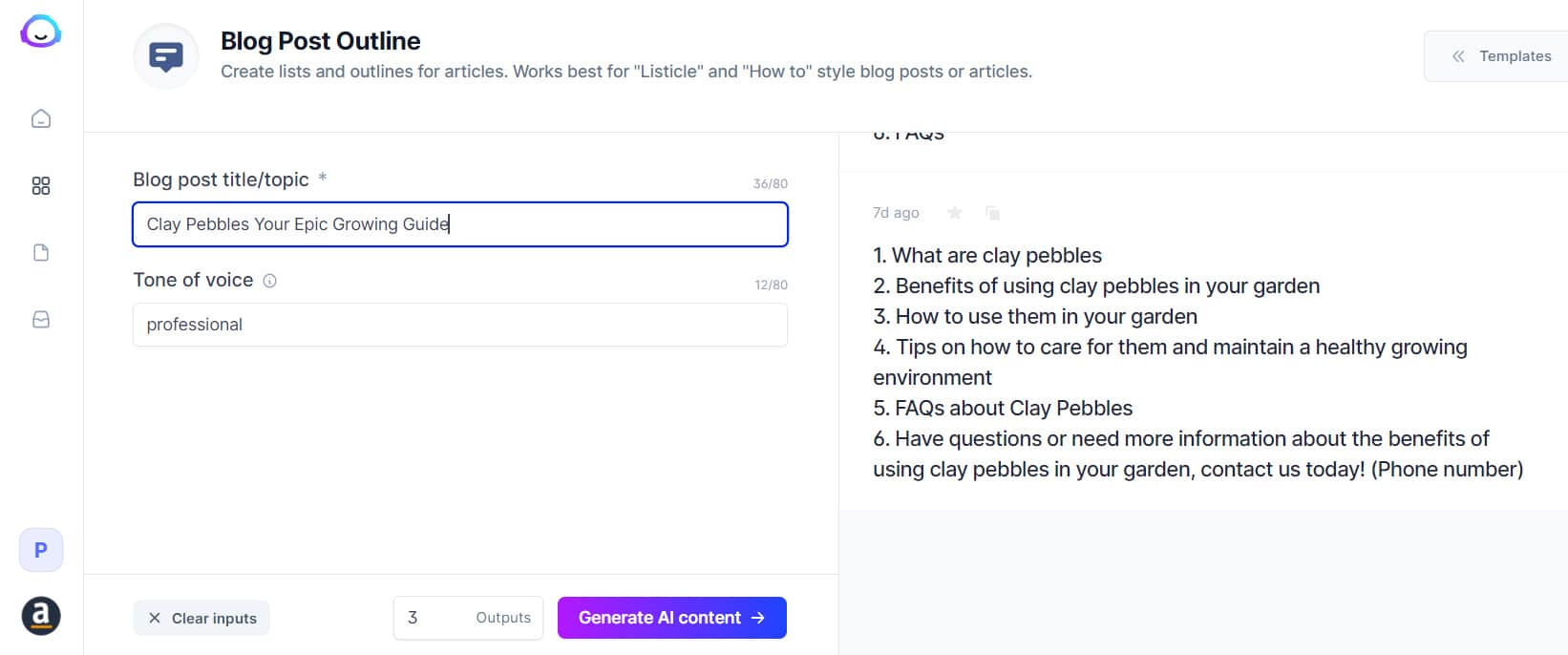
Сhoose 2-3 outputs and click Generate.

I liked the following option, such inaccuracies as highlighted in red need to cut yourself. This is a good basic version of an article plan, especially for informational requests.
- What are clay pebbles
- Benefits of using clay pebbles in your garden
- How to use them in your garden
- Tips on how to care for them and maintain a healthy growing environment
- FAQs about Clay Pebbles
- Have questions or need more information about the benefits of using clay pebbles in your garden , contact us today! (Phone number)
Finding Additional Keywords
Let's use answersocrates.com to find and unload them to .csv tables. Then just sort it by query types.
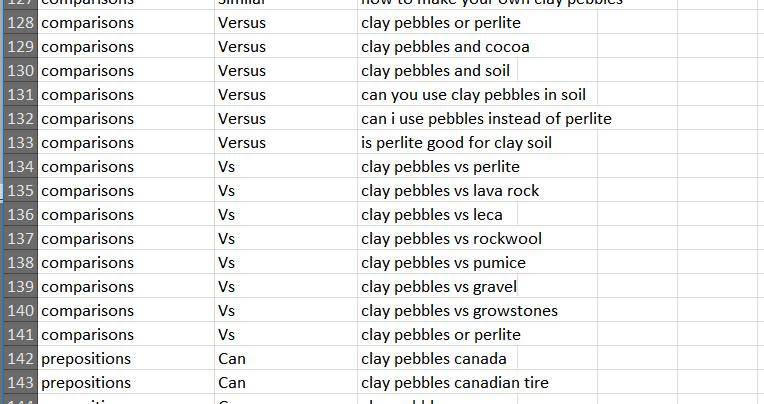
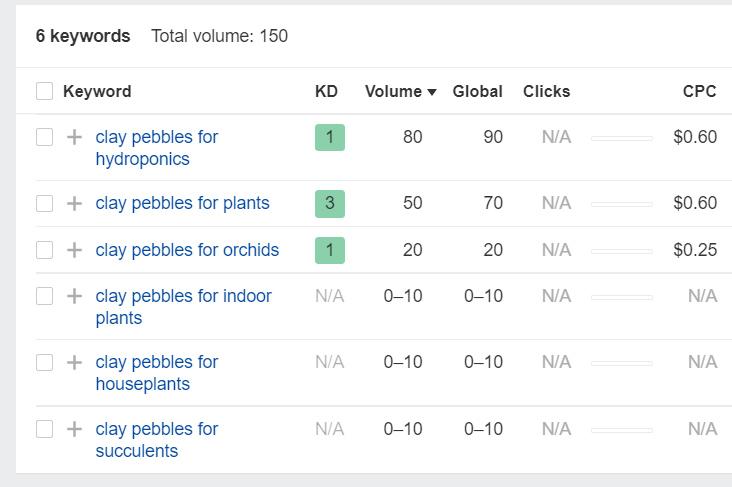
You can batch check several of these groups in Ahrefs to add to the article only low-frequency with volume above 0-10.
With some persistence, you can include all the keywords in general, but it is more logical to check with Ahrefs and take a quick look at where competitors are ranked:
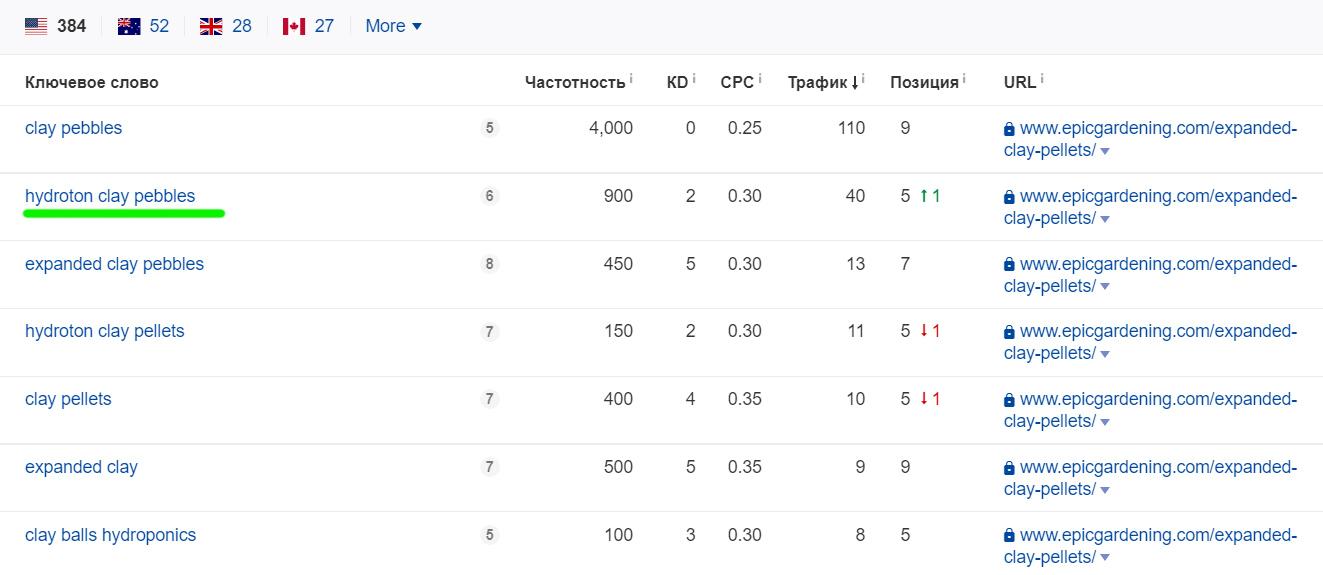
Hydroton in this case, the company that sells this product on Amazon is https://www.amazon.com/Hydroton-Original-Clay-Pebbles-Lightweight/dp/B01KYYZ9DE.
Well, how deep to dig in each case is a question of traffic profitability. In this case, we'll take two keywords - hydroton clay pebbles and expanded clay pebbles.
How to Quickly Prepare an Article Structure Based on Competitors from SERP
First of all, we need to install a Detailed SEO Extension for Chrome - https://chrome.google.com/webstore/detail/detailed-seo-extension/pfjdepjjfjjahkjfpkcgfmfhmnakjfba
The rest is simple enough:
- Type the main keyword in Google.
- Open the first top 10 in separate tabs.
- Copy headings (H2-H3) in a separate document.
- Delete duplicates.
- Have an optimized structure for a new article to start with really fast.
Let's look at an example. Suppose our main key is still the same - clay pebbles.
We are not taking marketplaces from the top SERP results and open up only articles . Let's take 5 as an example:
- https://university.upstartfarmers.com/blog/pros-cons-hydroton-hydroponics
- https://www.epicgardening.com/expanded-clay-pellets/
- https://www.maximumyield.com/the-dos-and-donts-of-expanded-clay-pebbles/2/1320
- https://www.nature-and-garden.com/gardening/clay-pebbles-moisture.html
- https://balancemmc.com/index.php/2020/03/18/expanded-clay-pellets-for-sale/
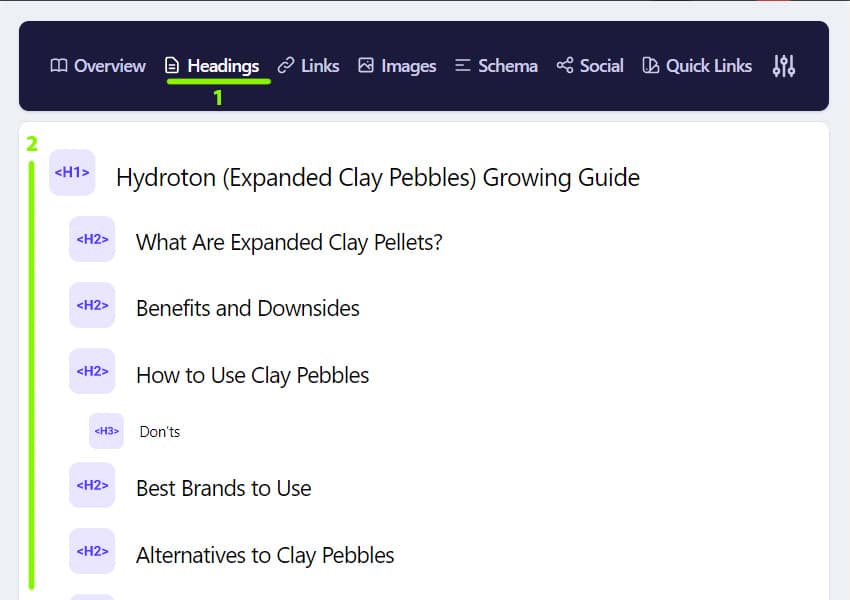
Taking the headlines.
One
- Pros and Cons of Hydroton (Clay Pebbles) in Hydroponics
- Why clay pebbles are one of our top picks for small growers
- Pros of hydroton
- Cons of hydroton
- Tips on using hydroton
Two
- Hydroton (Expanded Clay Pebbles) Growing Guide
- What Are Expanded Clay Pellets?
- Benefits and Downsides
- How to Use Clay Pebbles
- Don’ts
- Best Brands to Use
- Alternatives to Clay Pebbles
Three
- The Do’s and Don’ts of Expanded Clay Pebbles
- Major Do’s for Expanded Clay Pebbles
- Rinse and Soak Before Use
- Add a Small Amount of Nutrients
- Mister and Cycle Timer Method
- Crush Media Method
- Cloning Method
- Periodically Rinse
- Major Don’ts for Expanded Clay Pebbles
- Additional Uses for Expanded Clay Pebbles
Four
- Clay pebbles to increase moisture around indoor plants
- Key facts for clay balls & moisture
- Clay pebbles to raise moisture around houseplants
- How to prepare the set-up
- Why clay pebbles?
- Replenishing water in the clay pebbles
- How often to add water
- Best way to top-up water
- Cleaning and rinsing the pebbles
- Which plants to use moisturizing clay pebbles for
- Problems that might arise
- Mineral deposits due to using tap water
- Insects and pests
- Smart tip about using clay pebbles for extra moisture
Five
- Expanded Clay Pellets for Sale
- Growing Plants in Clay Pebbles
As you can see, such a structure will cover almost all of the low-frequency keywords. However, let's see what we have after the final grouping and removing of headers duplicates.
The more detailed breakdown by paragraphs we get, the easier and faster the text will be generated by Jarvis.
The final structure of the article
- Hydroton (Expanded Clay Pebbles) Growing Guide
- What Are Expanded Clay Pellets?
- Why clay pebbles are one of our top picks for small growers
- Key facts for clay balls & moisture
- How to Use Clay Pebbles
- Tips on using Hydroton
- Clay pebbles to raise moisture around houseplants
- Major Do’s for Hydroton Expanded Clay Pebbles
- Rinse and Soak Before Use
- Add a Small Amount of Nutrients
- Replenishing water in the clay pebbles
- Cleaning and rinsing the pebbles
- Benefits and Downsides
- Problems that might arise
- Mineral deposits due to using tap water
- Insects and pests
- Cons of Hydroton
- Best Brands to Use
- Alternatives to Expanded Clay Pebbles
- Growing Plants in Clay Pebbles
- Which plants to use moisturizing clay pebbles for
- Additional Uses for Expanded Clay Pebbles
Later, by adding common questions from answersocrates we get exactly what is usually called Epic Niche Article.
Do we always need a detailed plan with high-volume keywords? Not necessarily. Basically, only if we take broad keywords like 10K or even 20K volume to maximize their long-tails coverage.
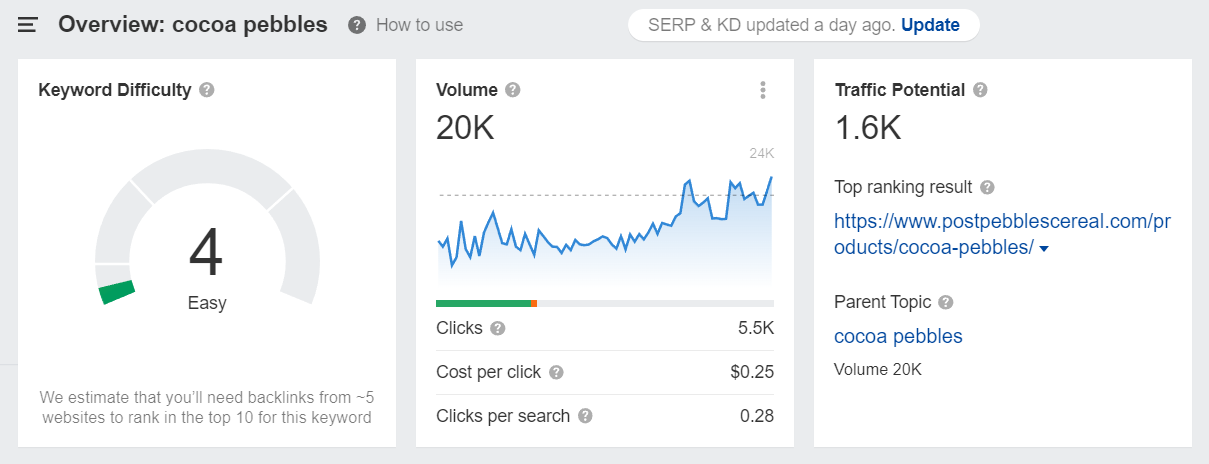
So, if we take a keyword like cocoa pebbles (20K Volume), then make a detailed plan of the article. If the article is for low-frequency keyword, then generate structure through Blog Post Outline. In both cases, the outline of the article is extremely important. The more logical the structure is, the less work with editing there will be later on.
Block Structure of Epic Article in any Niche
Absolutely any review article we can fit into a typical block structure, which we will fill by jasper.ai modules. Like LEGO. We will build an article block by block and fill it with content for any niche. VPNs or Water Salt reviews, it actually doesn't matter.
Typical structure template:
- Introduction
- Comparison Table (TOP5 or TOP10)
- General Information (Materials, Manufacturers, etc.)
- Multiple Product-specific Reviews
- Photo
- Product Review - Question and Answers
- Conclusions
Let's Start Composing. Title and Introduction
Open up Blog post assistant and create a new document. Choose Blog post workflow, and fill out the basic forms.
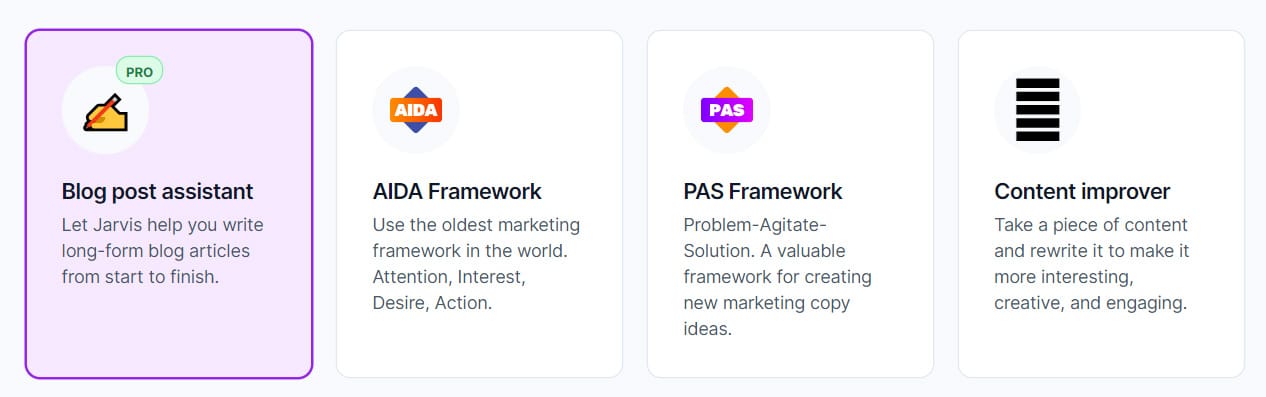
A bit earlier analyzing competitors in Ahrefs, we've found that we need to add hydroton and expanded to hit the traffic with clay pebbles niche article. Let's create a new post:
 And put it in:
Hydroton Expanded Clay Pebbles Epic Growing Guide. A full-length article answering common questions with product reviews and useful tips about expanded clay pebbles.
This is a universal template, so just substitute Hydroton Expanded Clay Pebbles with your niche keyword.
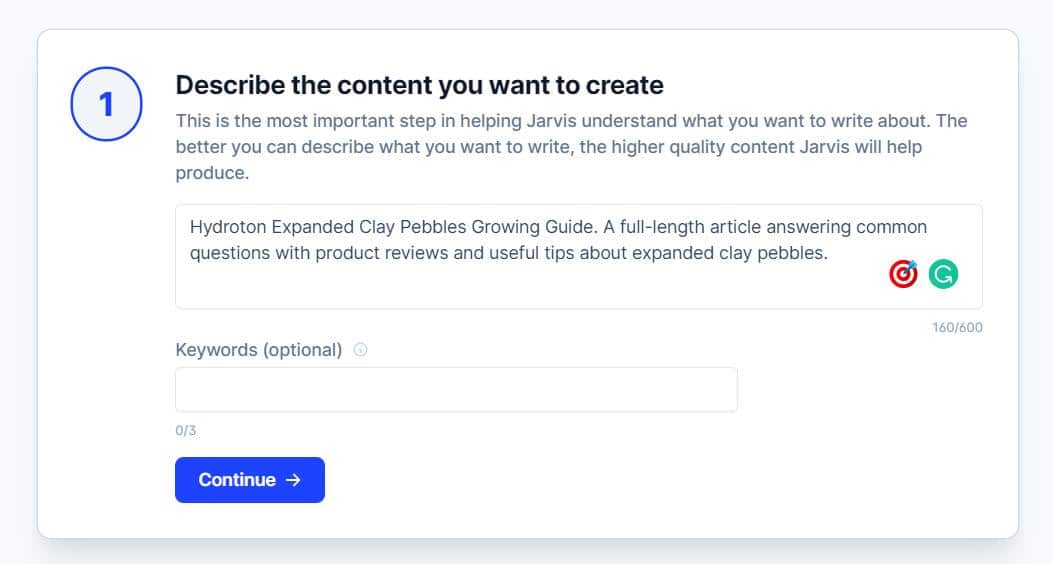
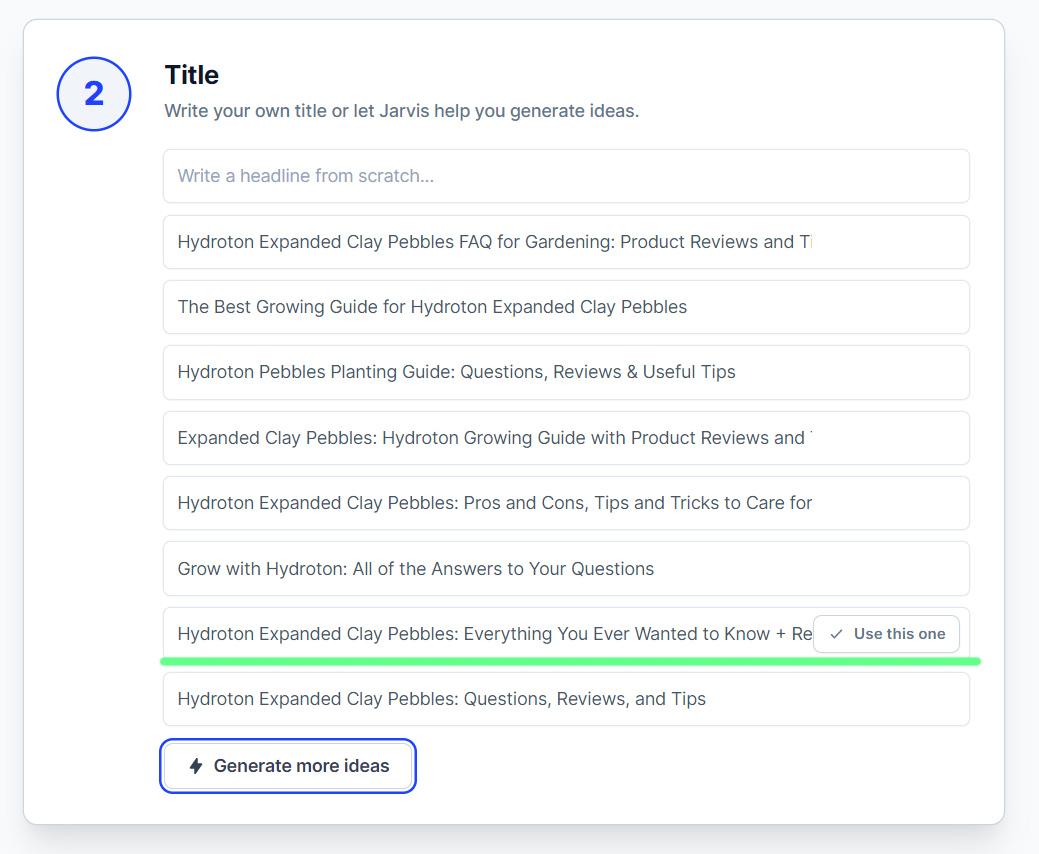
Click Continue and Generate Ideas to generate titles for the article. I liked this one: "Hydroton Expanded Clay Pebbles: Everything You Ever Wanted to Know + Reviews".
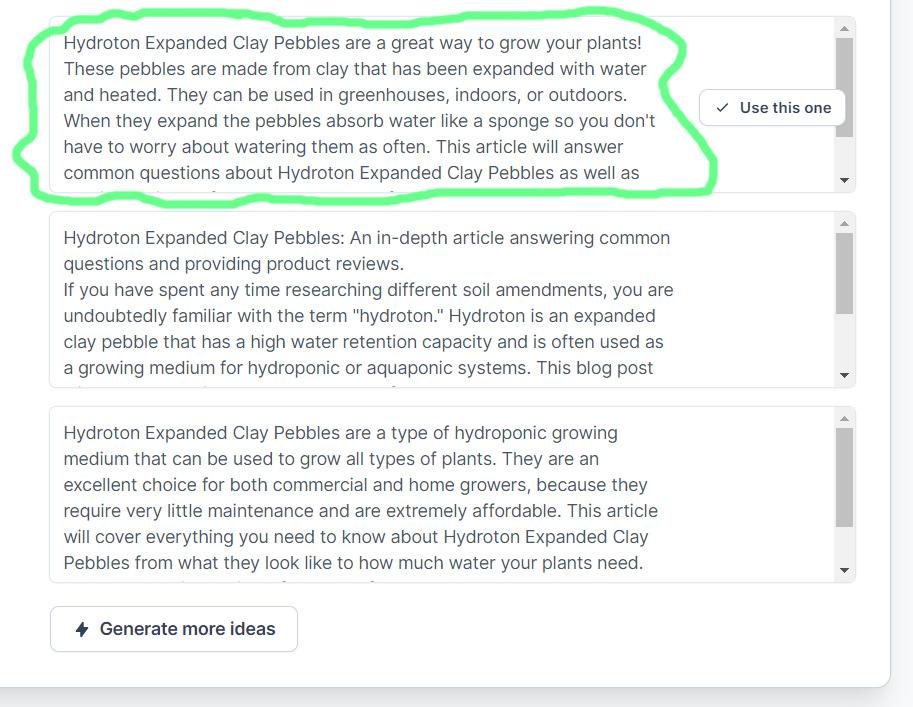
And the introductory paragraph, which often briefly explains what the guide can solve or improve and why it is needed at all. Let's choose one of the options.
And move on to generating the article itself by pressing Open Editor.
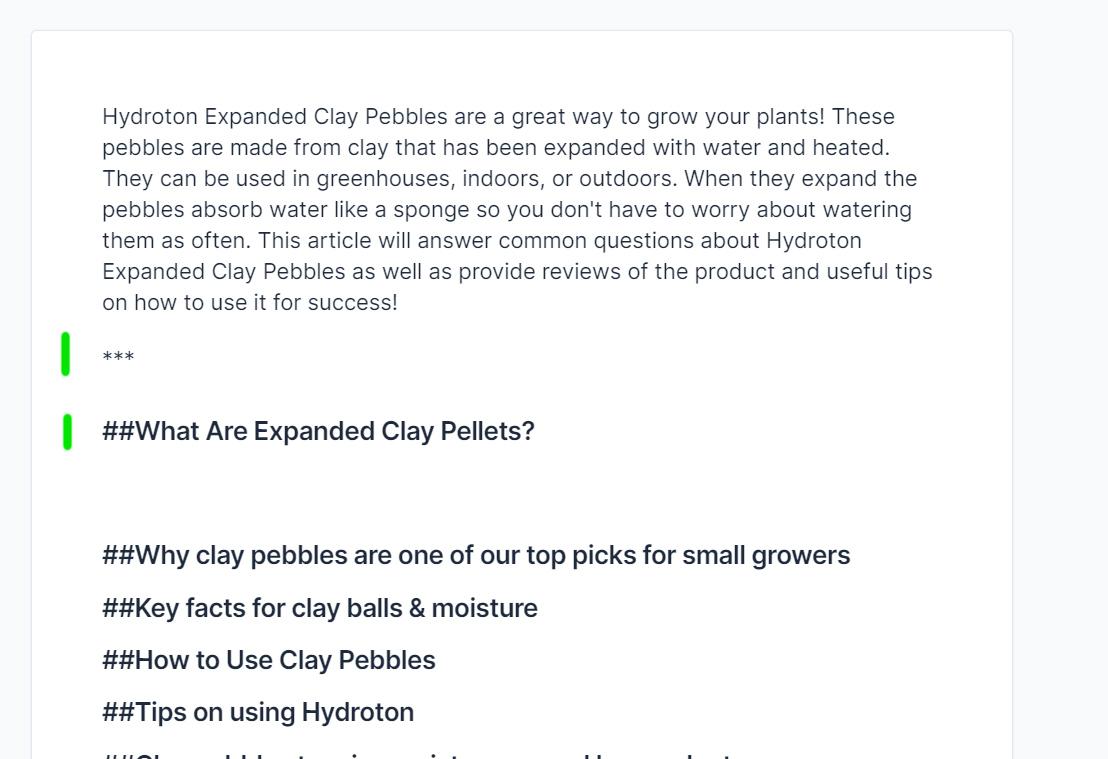
Working with the editor is very simple - in front of the titles put two bars ## and select them as H2-H3, and three asterisks *** in the place where everything is written above will not count (say, if we change the subject or start writing out keys that are not semantically related).
It is also worth using three stars if you need to write a lot on a very close topic and Jarvis begins to repeat itself. Like this:
If the sentences are too difficult to read, Grammarly will tell us by underlining them in blue. In a few tries I was able to generate a paragraph of text like this as an example:
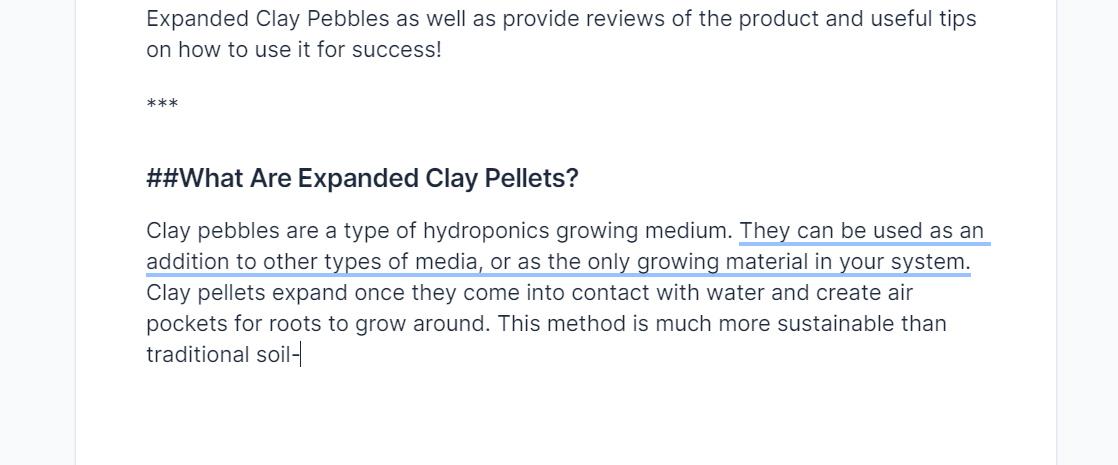
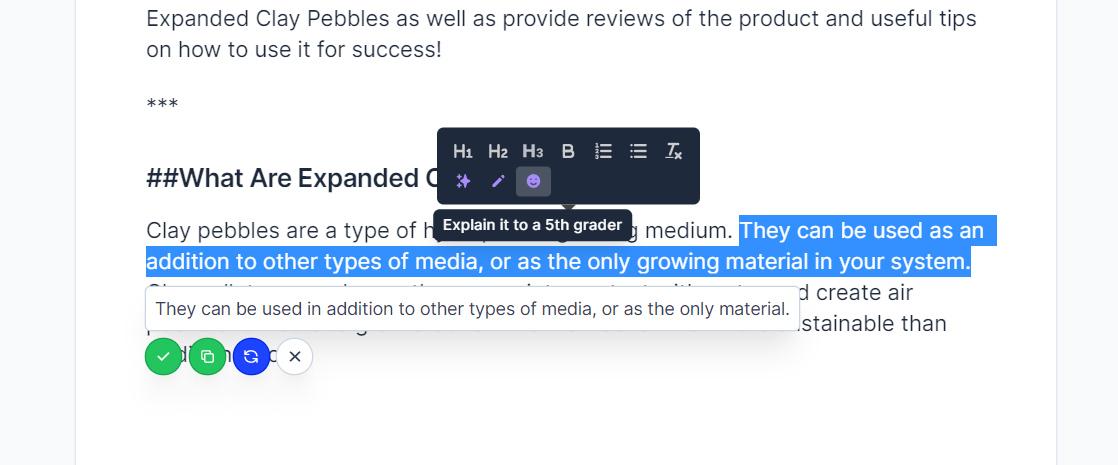
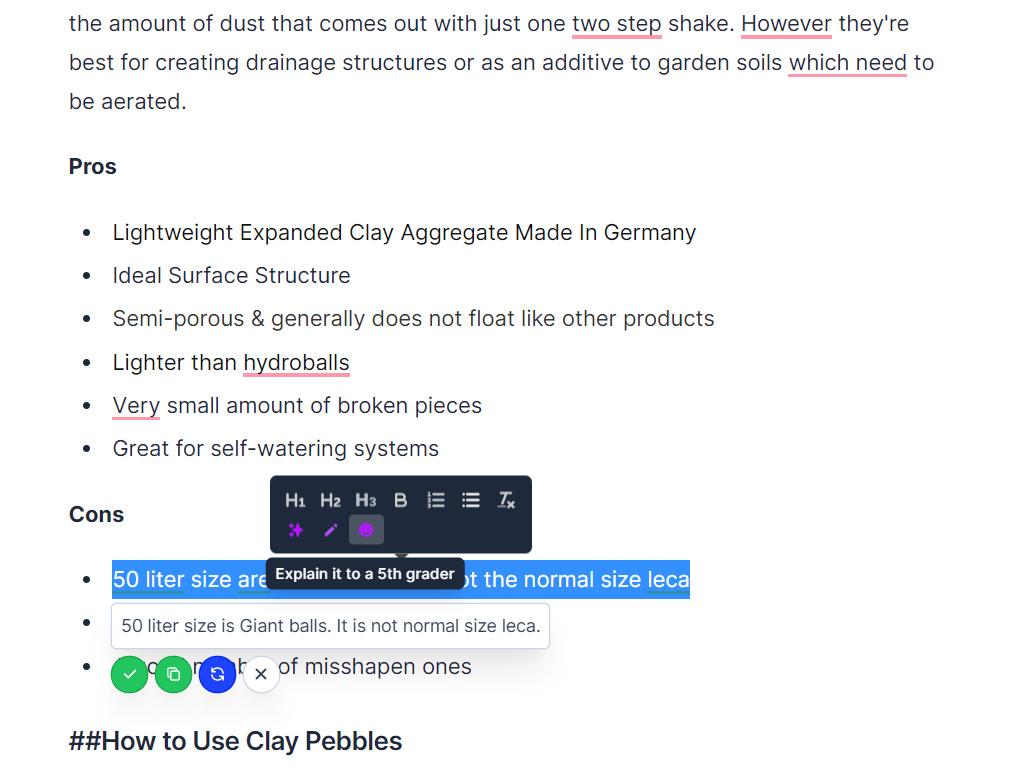
You should rewrite such sentences. To do this, highlight it and click on the smiley face - "explain as for a child" function will appear. And just confirm a new version of this sentense.
At first, it may seem a bit confusing, but one way or another you will have a finished article of several thousand words in about an hour.
Content Creation
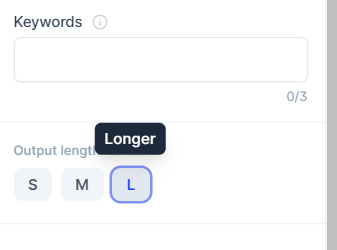
We start by moving in all the headings we have saved and filtered. Put ## in front of the headings and indent the paragraph. In the Output Length field, be sure to put L, in order to get the maximum length of the text.
Press CTRL+J to start generating next paragraph.
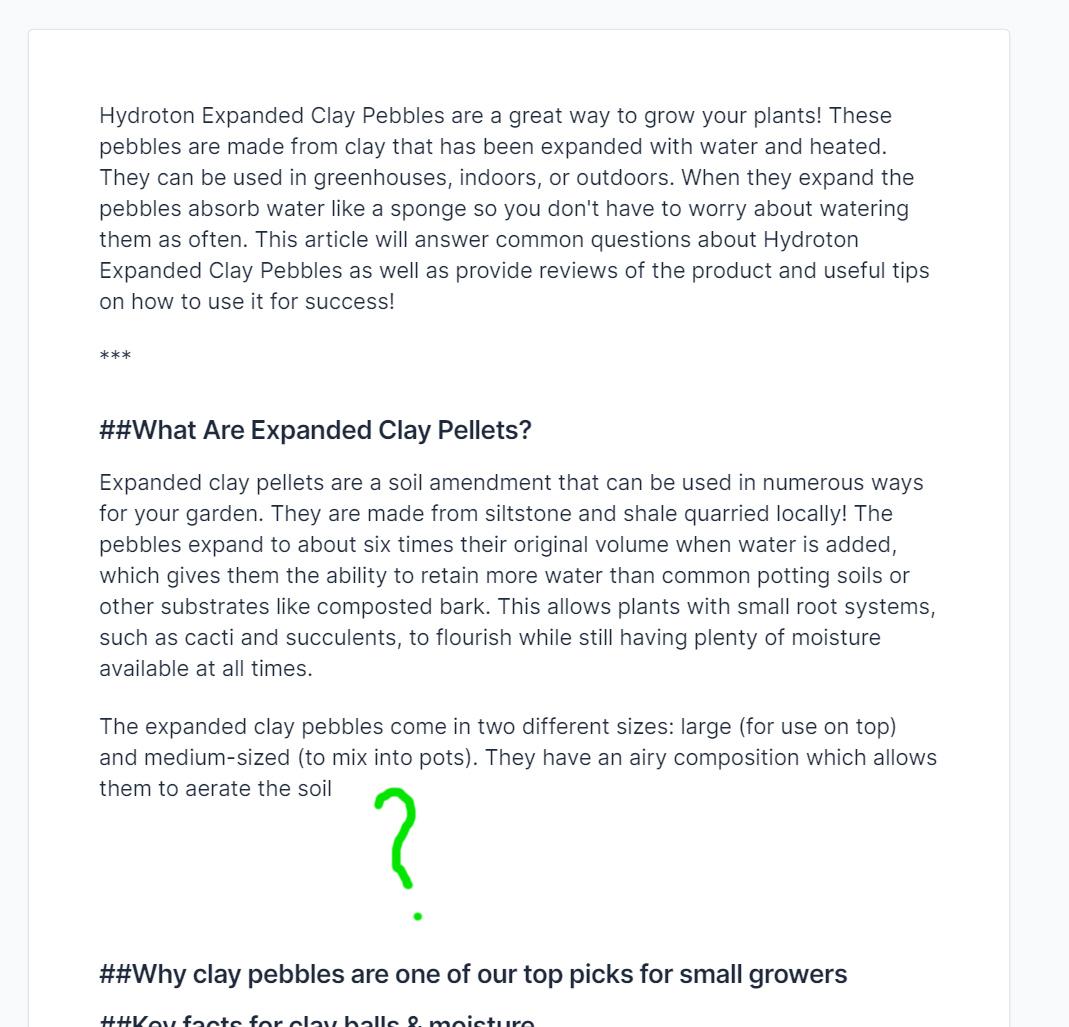
Of course, we can say that we will have to read and figure out what "clay pebbles" are in order to push Jarvis in the right direction. But not to waste time, just open any list of so-called transition words, which will be used to move text further. I prefer this list: https://www.smart-words.org/linking-words/transition-words.html
Look at where the engine stopped. There was something like "which allows them to aerate the soil" (see screenshot above), so go to the list of transition words and choose from the column "Cause / Condition / Purpose" - in order to, paste into the text and generate further. Like this:
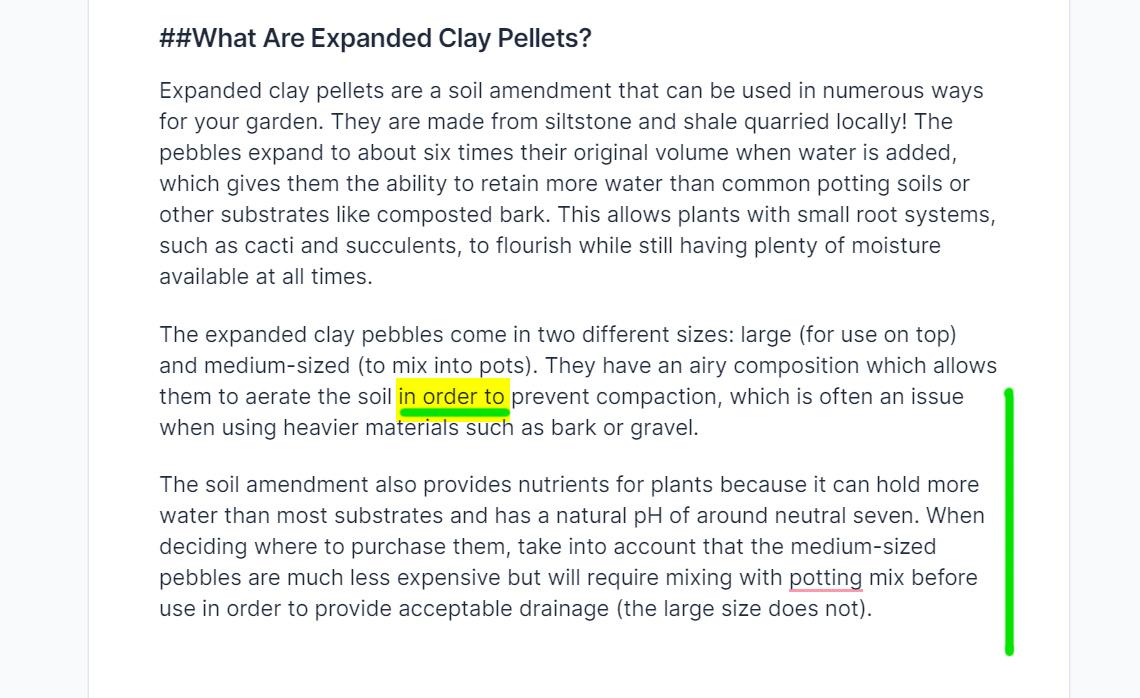
Was it time-consuming? Not counting the time you've just read "How does it all work?". Two presses of CTRL+J and another minute to choose a transition word.
Let's move on and try to read what Jarvis wrote to us. Pay attention to the fact-checking and semantic load of the text that we have received. Our main goal is to generate unique texts that make sense and reveal the topic.
When asked to complete the beginning of the paragraph, we just slightly rephrase the headline, for example:
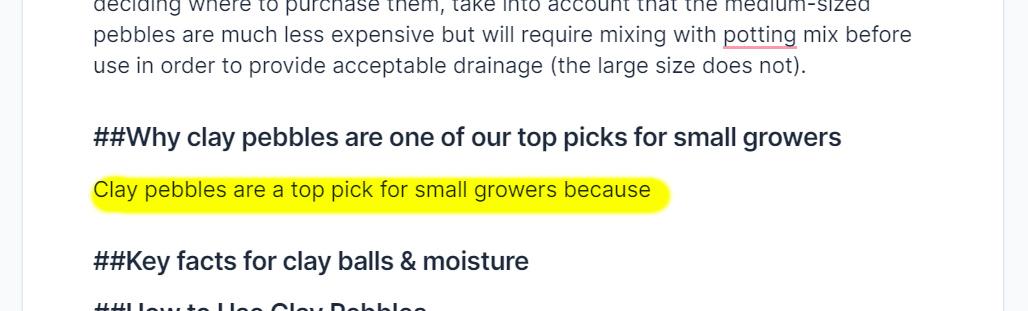
At the end of highlighted sentence press CTRL+J again to continue writing:
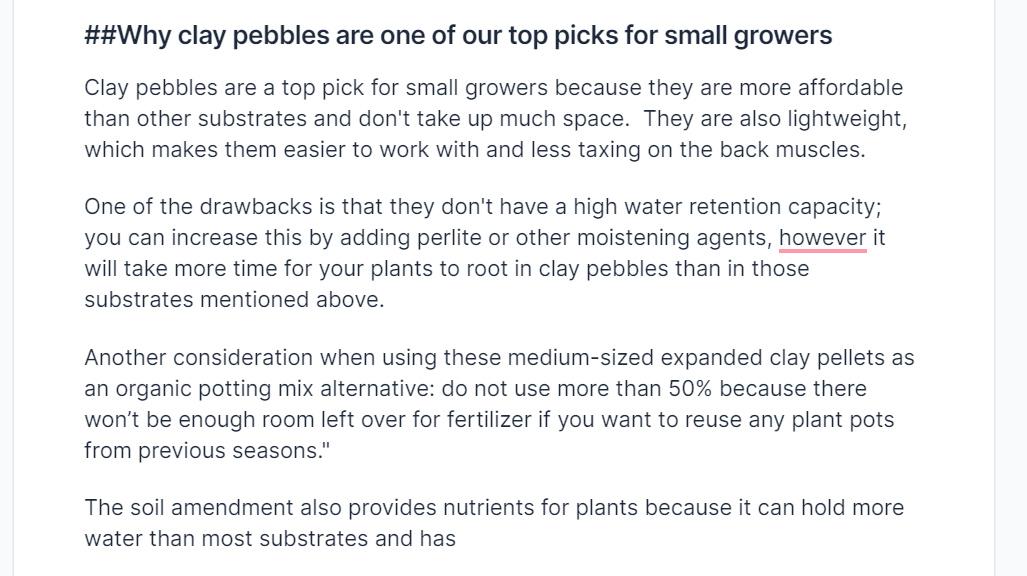
Here, I wrote a lot more after "has" (highlighted in light green) and GPT-3 continued:
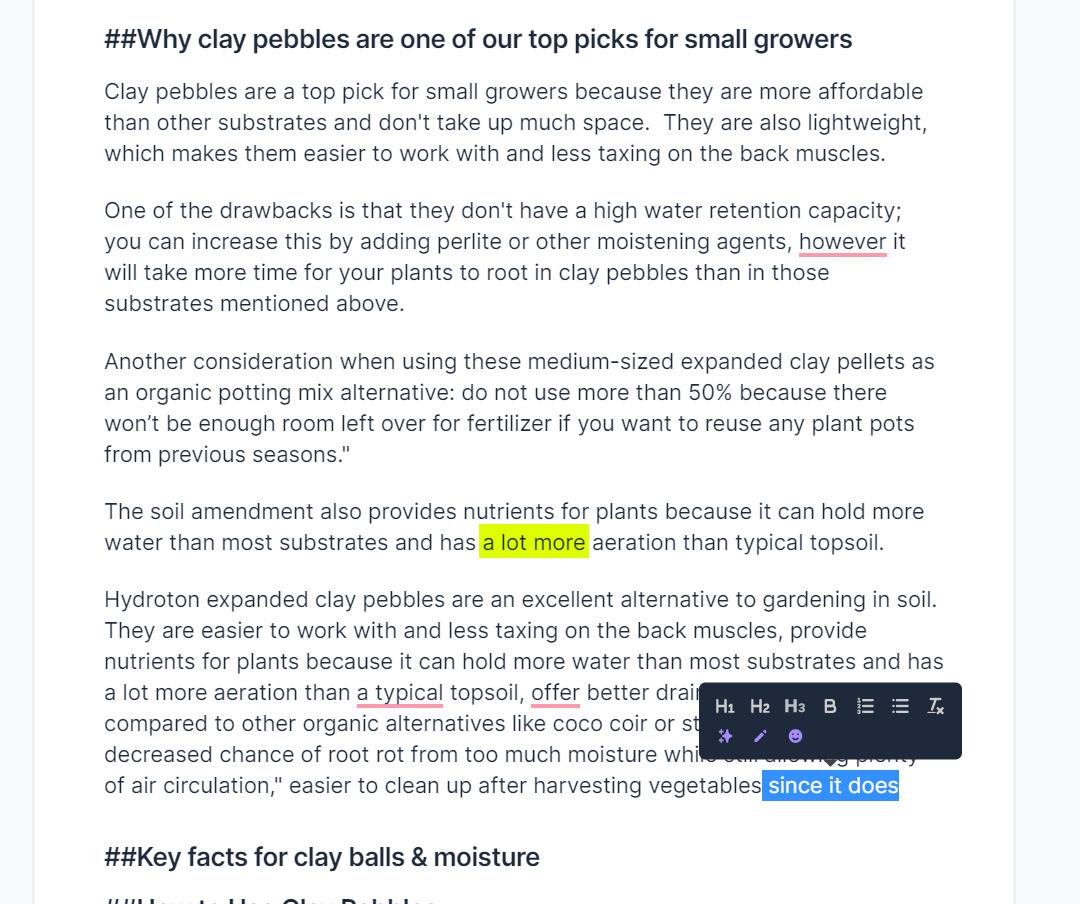
At this point, it seemed to be enough volume as we already have a decent 617-word material. I've just cut off all the rest and finished here. The grammar underlined in red is corrected in one click with Grammarly.
Repeat the process with the rest headings and proceed to actual product reviews, which we will embed in the article. A link to the final document will be at the very end.
Creating Subheadings
Improving Readability
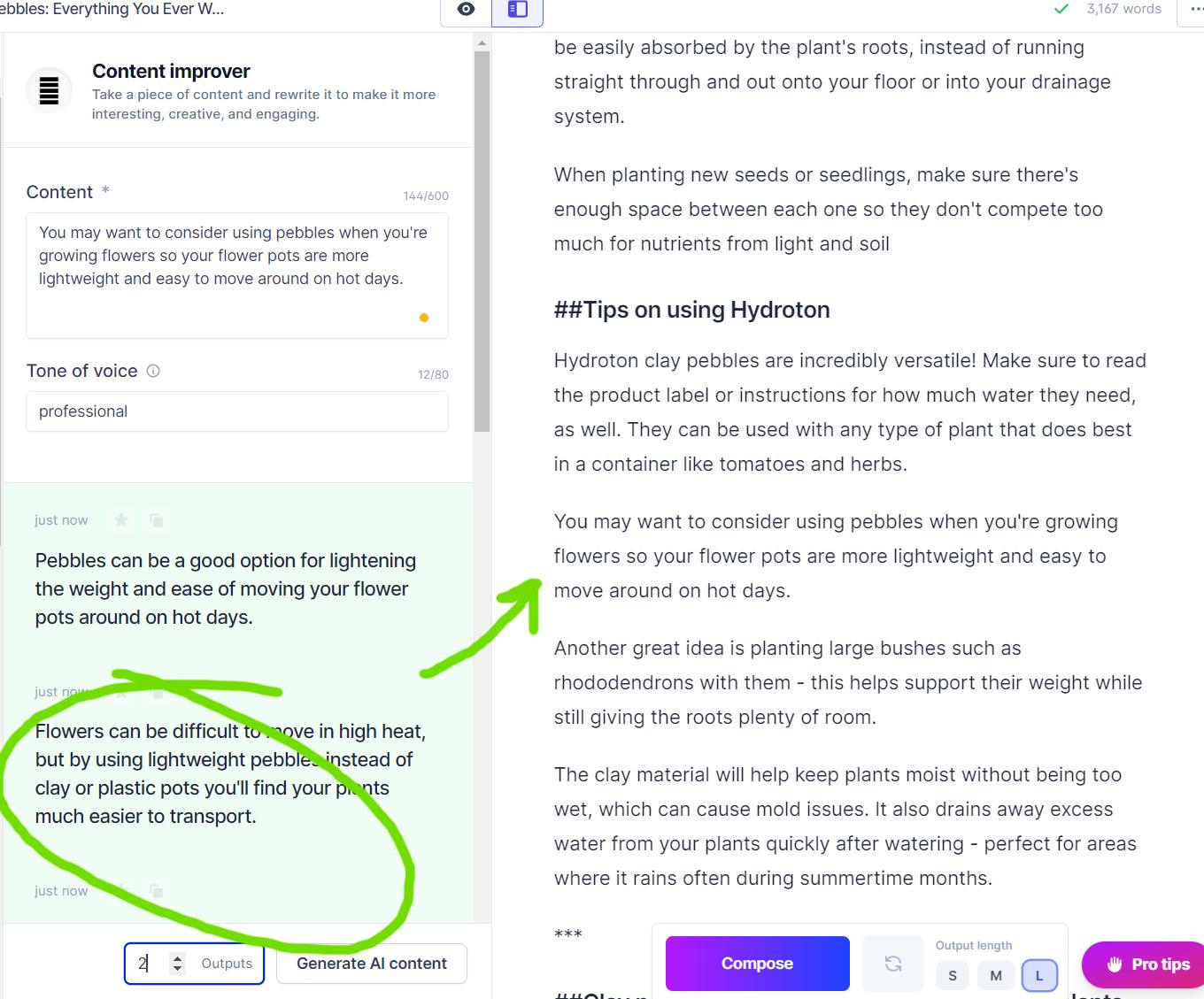
In some cases, the text is either too difficult to read or written in the first person. So use the Content Improver module and rewrite it on the fly, generating several outputs.
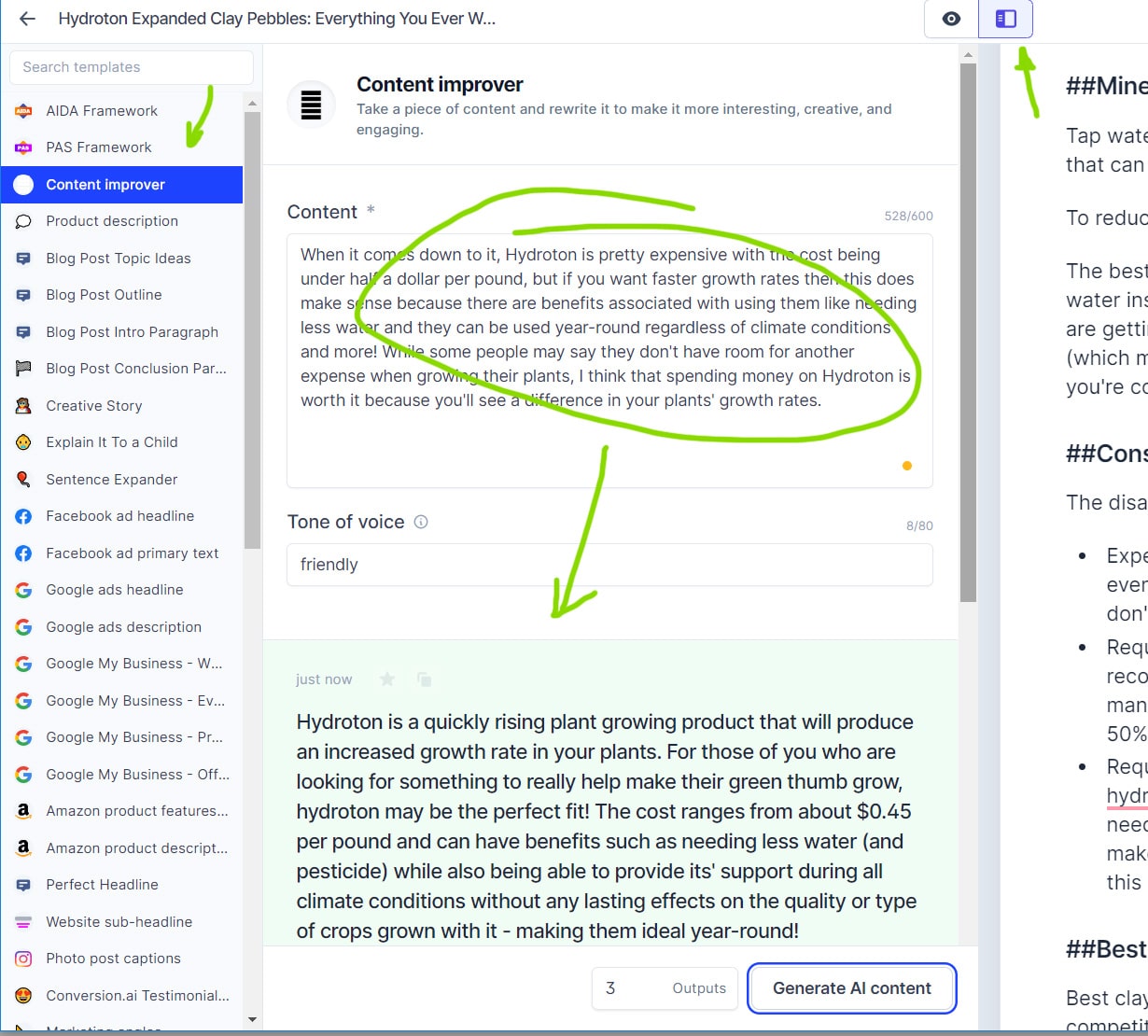
Jarvis is also able to work with lists. For example, in one of the subheadings Jarvis saw that we need "key facts" and gave them a list:
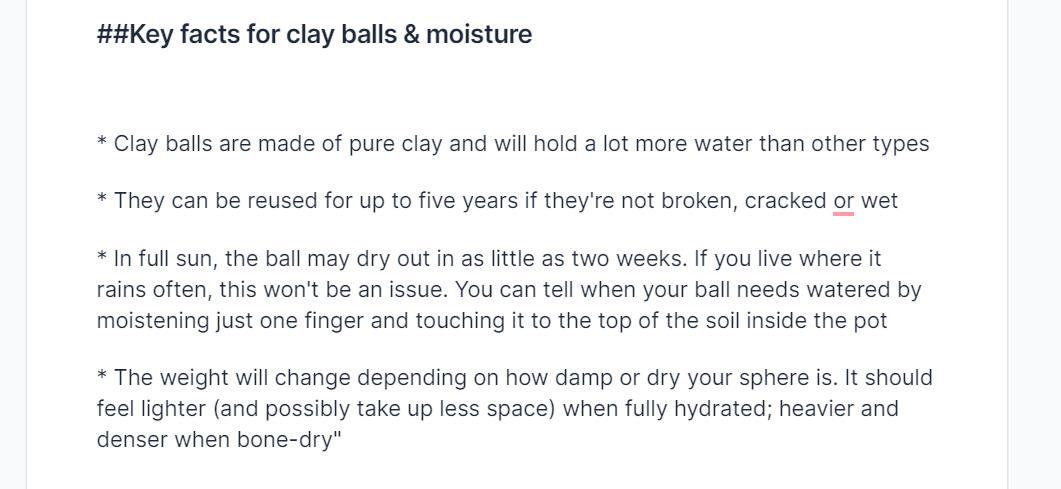
Often it's just enough to specify that we need lists or key features.
Okey. I've finished an article of 3170 words in about 40 minutes which I decided to check for uniqueness in Copyleaks. In general, see for yourself, 97%. Common phrases occur, but at this volume is a drop in the ocean.
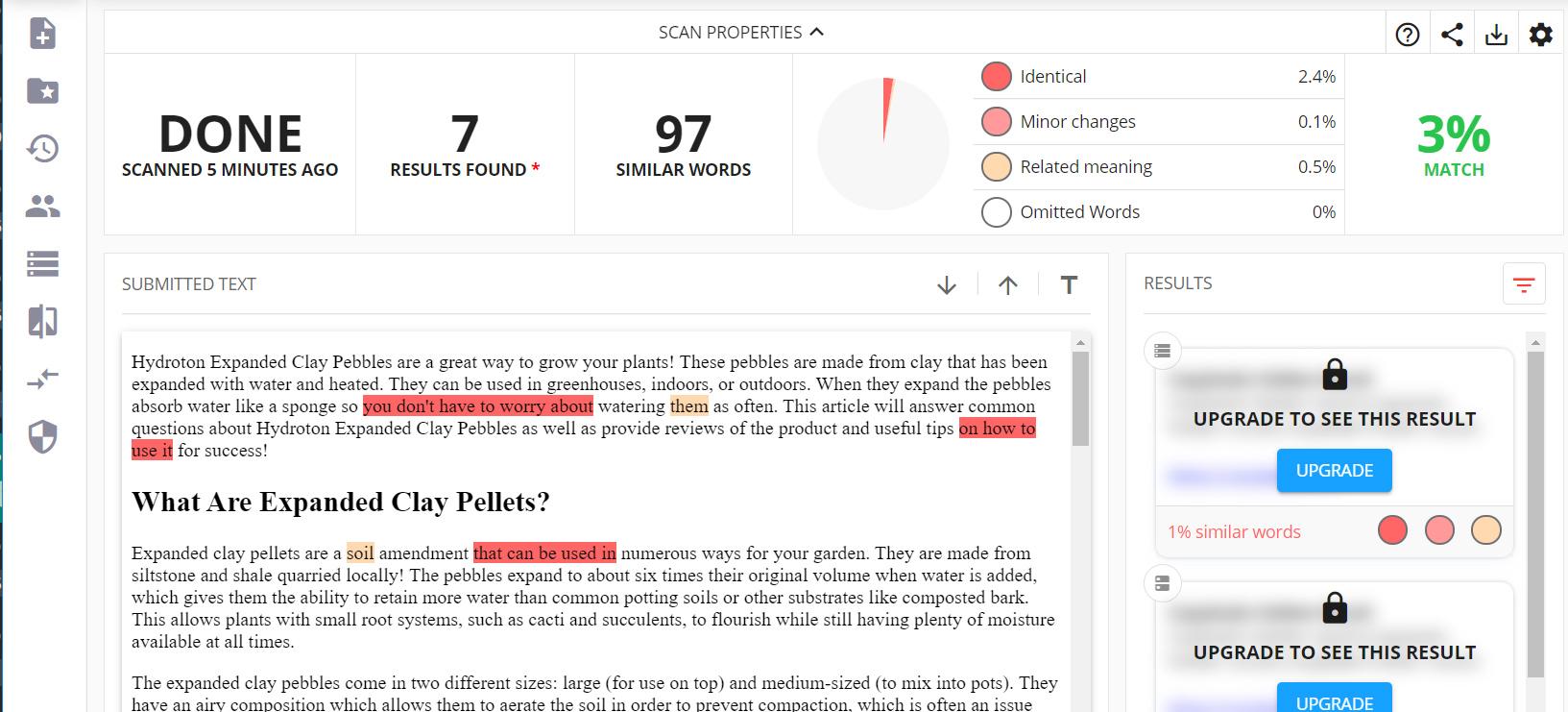
If you scroll below:
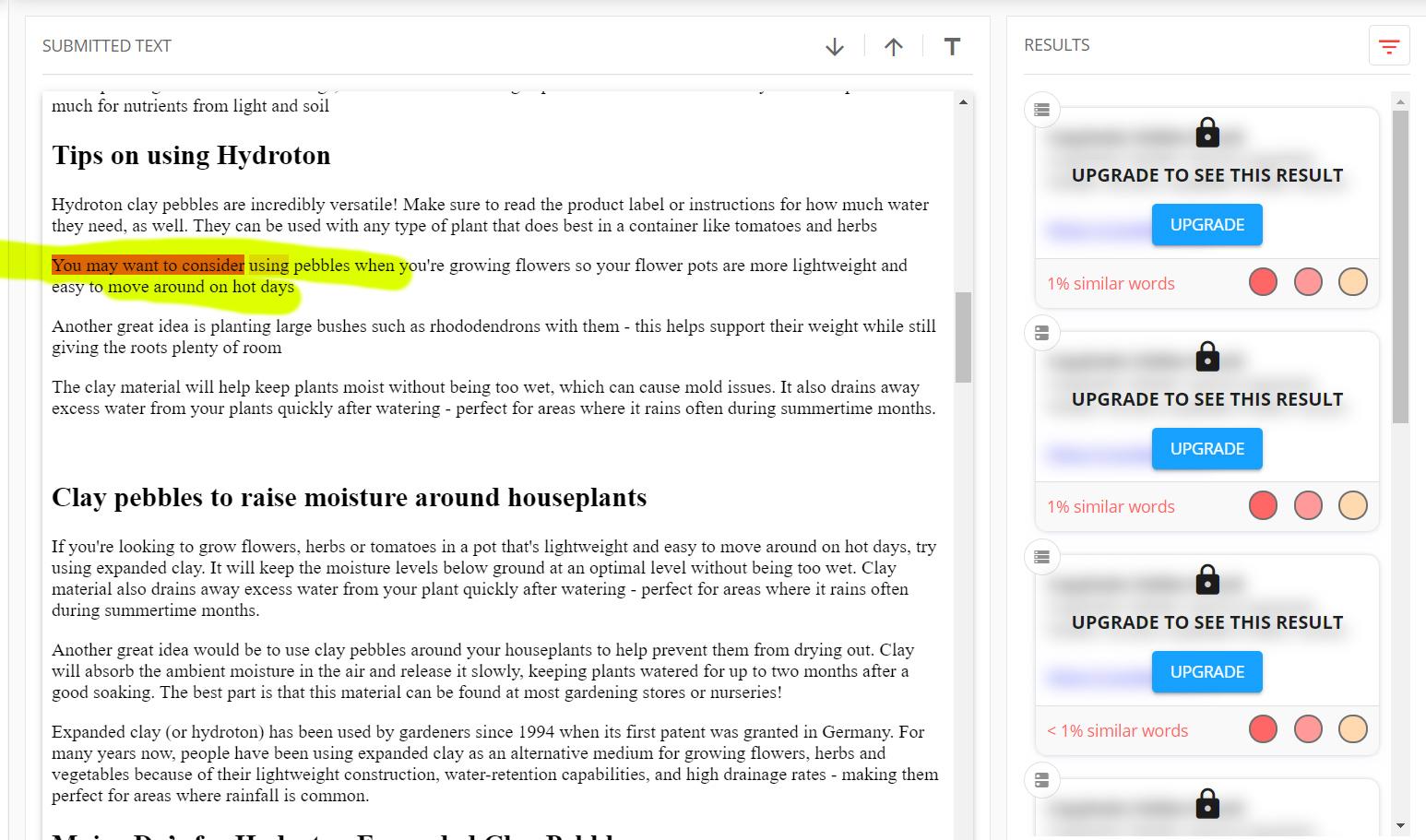
If you set your mind to it, you can get 100% uniqueness by rewriting paragraphs with the same Content Improver module. In general, this is the easiest and fastest way to improve those parts of the text that raise doubts.
Lastly, finish it with product reviews that will bring us some income.
Creating Product Reviews with Jarvis
First, let's find the necessary listings on Amazon. Simply type "hydroton clay pebbles" into the amazon.com search box and note down Hydroton products and a couple of other products with a good rating:
- Mother Earth 714123 Hydroton Original Expanded Clay Pebbles, 50 Liter, Terra Cotta
https://www.amazon.com/dp/B01KYYZ9IE - Seachem Flourite Black Clay Gravel - Stable Porous Natural Planted Aquarium Substrate 15.4 lbs
https://www.amazon.com/dp/B0019J0ISU - Organic Expanded Clay Pebbles Grow Media for Orchids, Hydroponics, Aquaponics, Aquaculture Garden (2 LB Cz Expanded Clay Pellets)
https://www.amazon.com/dp/B00GN9A6LK
Let's analyze the first one in detail as other products will be done the same.
Our task is to find the advantages and disadvantages in the listing, make a list of them and feed them to Jarvis to get an objective overview. Take advantages and disadvantages directly from the description and top comments. This is what I got as a source:
Mother Earth 714123 Hydroton Original Expanded Clay Pebbles, 50 Liter, Terra Cotta
- Lightweight Expanded Clay Aggregate Made In Germany
- Ideal Surface Structure
- Size: 50 Liter
- Semi-porous & generally does not float like other products
- lighter than hydroballs
- very small amount of broken pieces
- improvement in roots
- Great for self watering systems
And a few negative points to make the review fairer. To do this, scroll down to some 2-3 stars reviews. And write down a list of drawbacks:
- 50 liter size are Giant balls - it's not the normal size leca
- A little too dusty
- a good number of misshapen ones
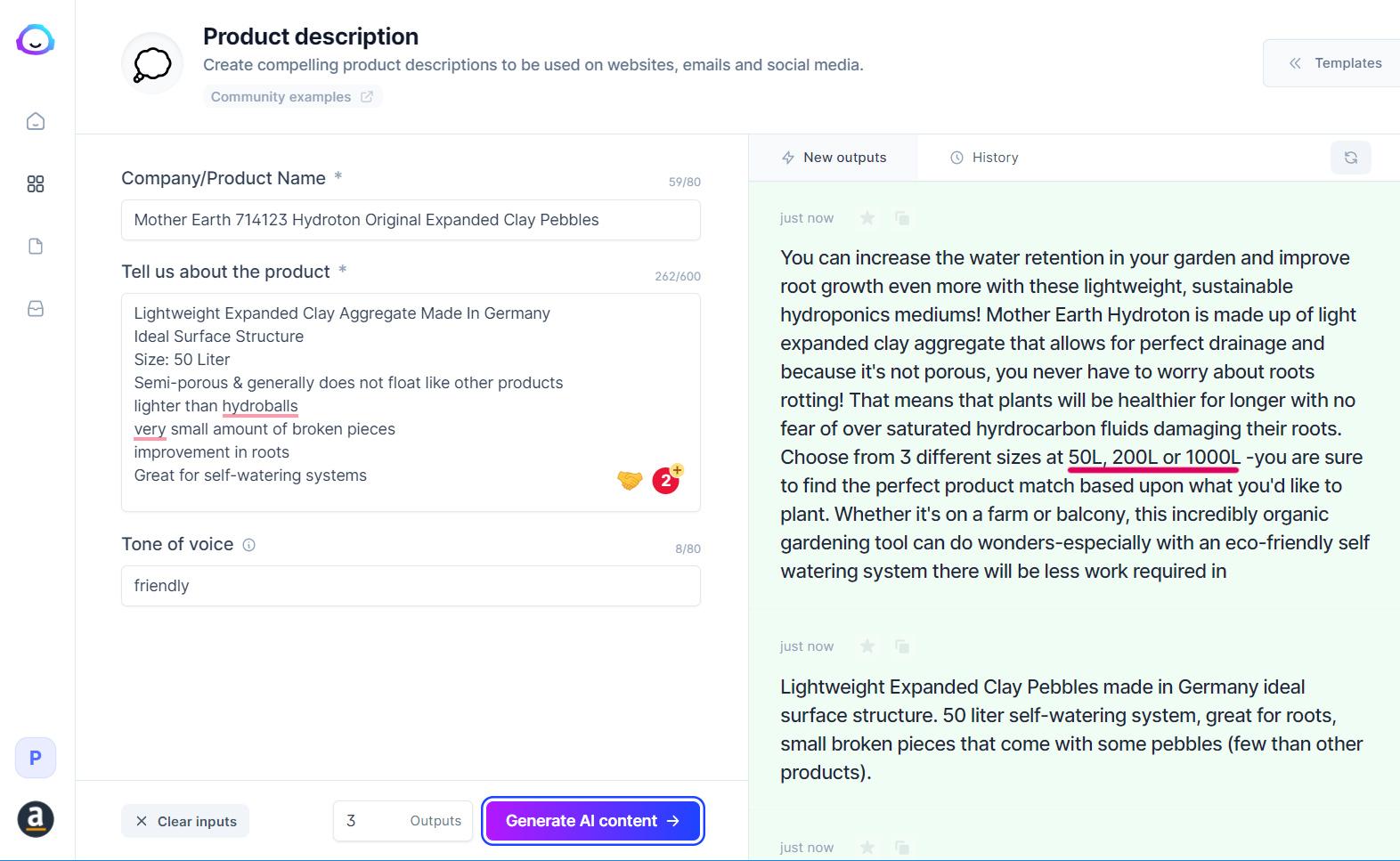
Open the Product Description module and put all the benefits into it. Be sure to set the tone: friendly. Generate 2-3 options to have something to choose from. Pay attention to the numbers (underlined in red), in this case we need to correct the size of 15, 25 and 50. Double-check all the dimensions, volumes, and exact characteristics. That's where usually Jarvis fails.
And now it's the same with the flaws, just setting the tone: critical:
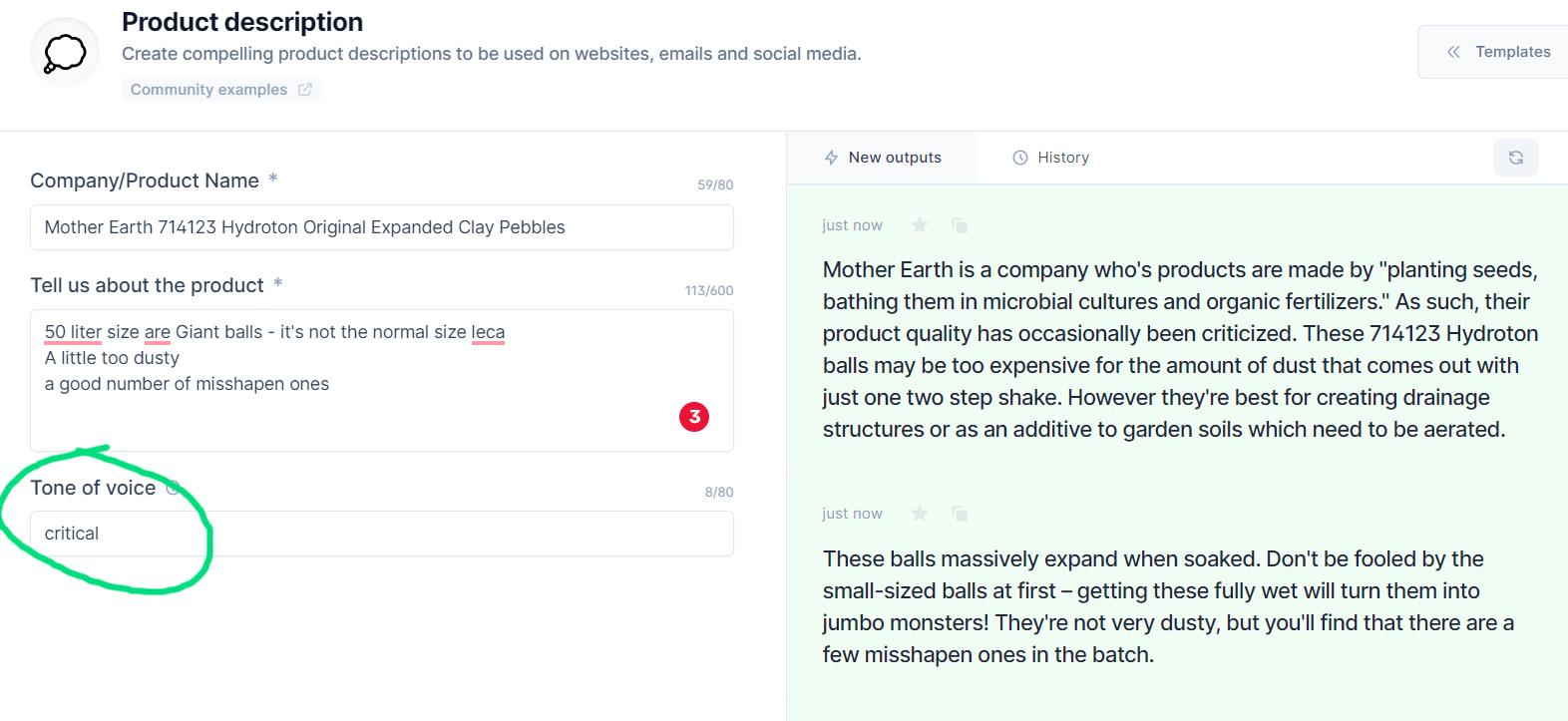
Great. We'll add these lists later as Pros/Cons. Start rewriting it into using "Explain it to a 5th grader", see below:
Questions and Answers Section
Very simple. Start asking questions at:
https://answersocrates.com/q/en/US/clay%20pebbles
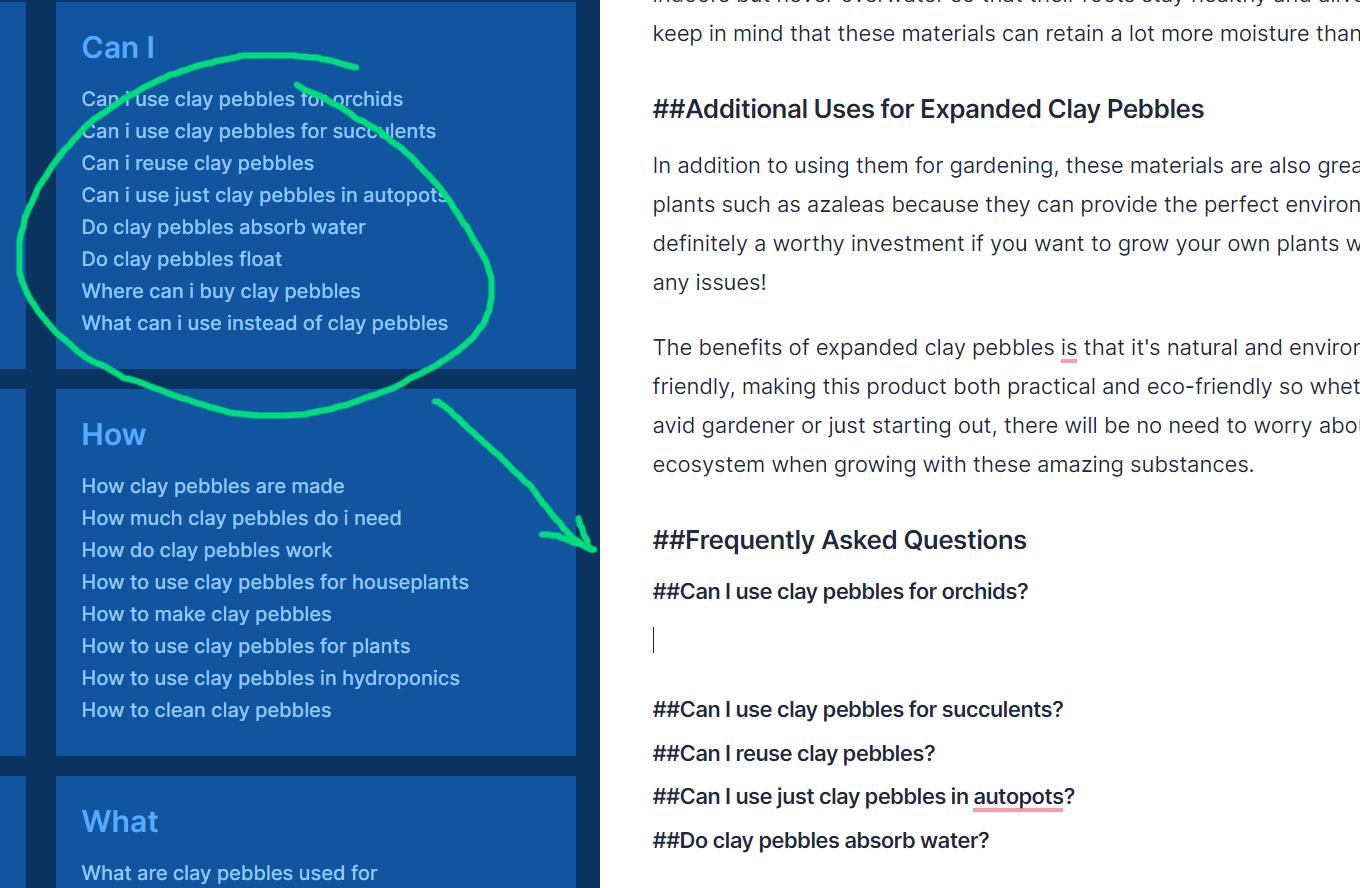
Press CTRL+J and get the answers.
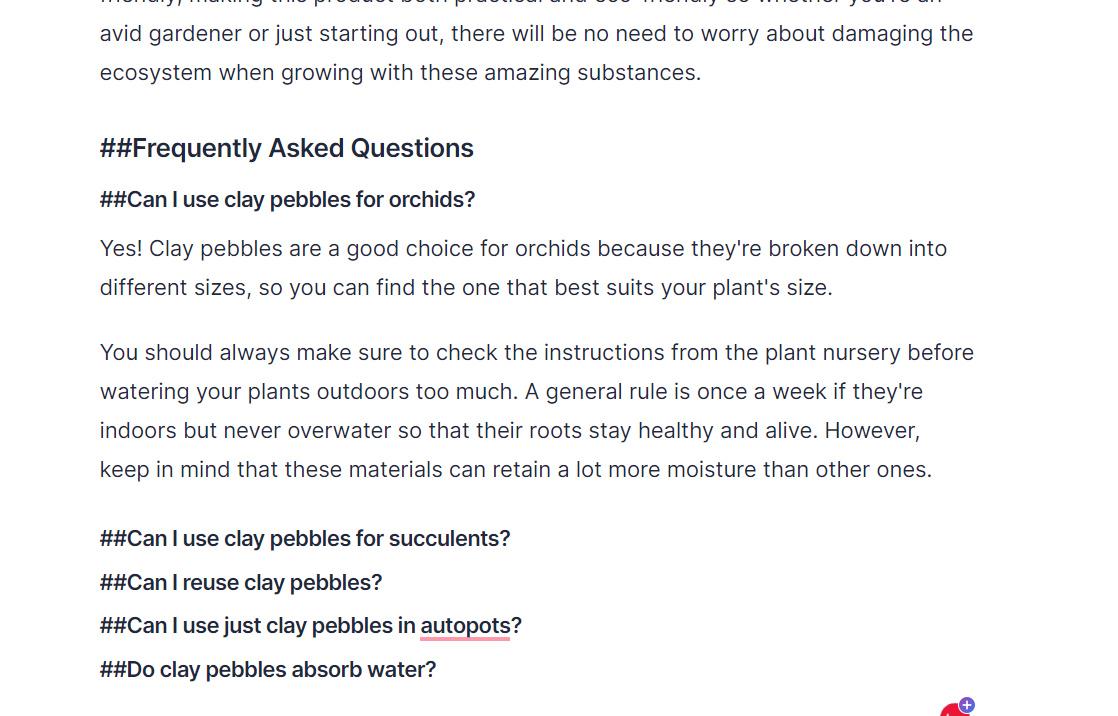
Correct it through Grammarly and simply cut out unnecessary things. If the questions are very close in meaning and the text begins to be similar use Content Improver rewriting again such paragraphs on the fly.
Writing Conclusions for the Article
Finish it with general conclusions. For this, we'll need the Blog Post Conclusion Paragraph module. At this stage we should already understand what our article is about. Again, if it's hard, we can take something from advertising texts on product listings.
I liked the first option:
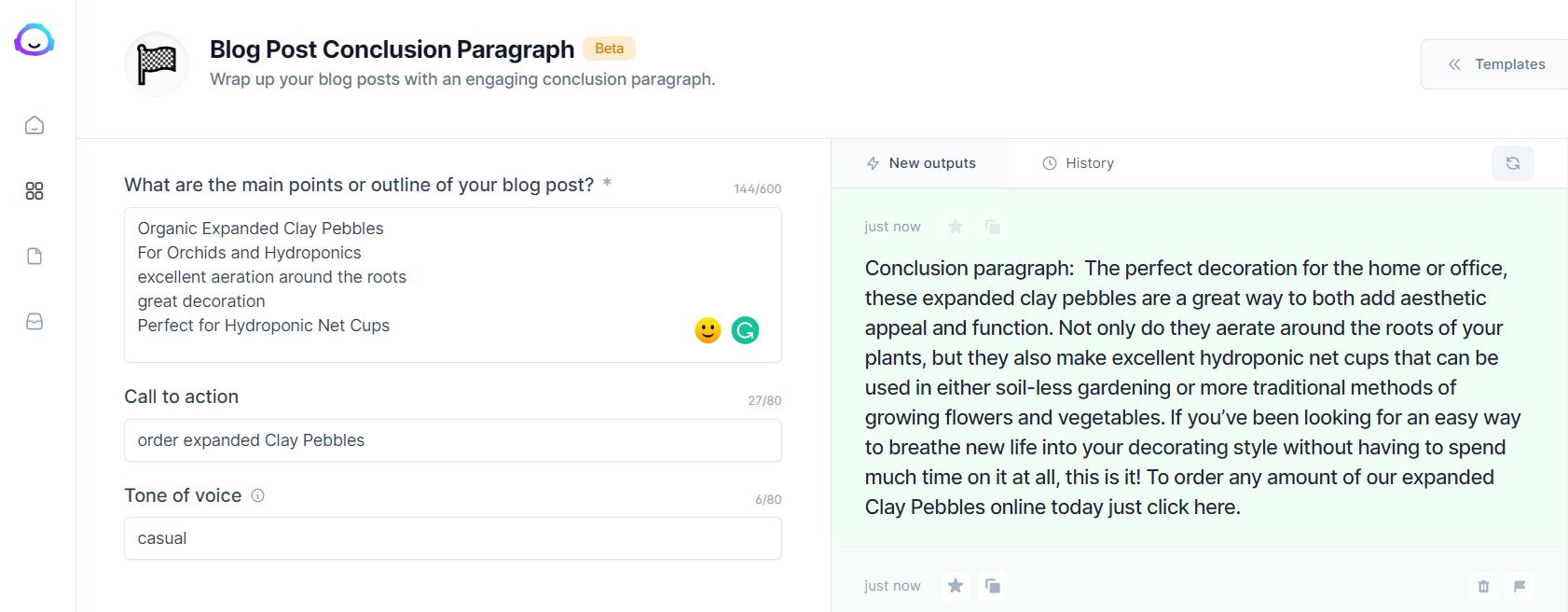
Done. Well, the final volume of about 3800 words, and if you add two more reviews, we pass 4000 words. Now clean the titles from ##, replace hydroton in the text with Hydrotone (with a capital letter) and publish article on your website. Congratulations, our Epic Guide is ready!
Leave a Reply